 texus Addons und Themes
Webhooks
Webhooks in both directions: panel events to Discord, Telegram, Teams or JSON, and URLs that restart or back up servers.
9,99 €
- Version 0.3.3, updated 10 October 2026
- For Pterodactyl Panel 1.15.x with Blueprint
- No core files modified, installs and removes with Blueprint
- One licence for one panel, new versions included
Screenshots
Features
Webhooks connects your panel with everything else, in both directions.
Outgoing: server started or stopped, created, suspended or deleted, backups finished or failed, logins, password changes and more. Sent as signed JSON to your own scripts, or straight to Discord, Slack, Teams, Telegram, WhatsApp and a few others.
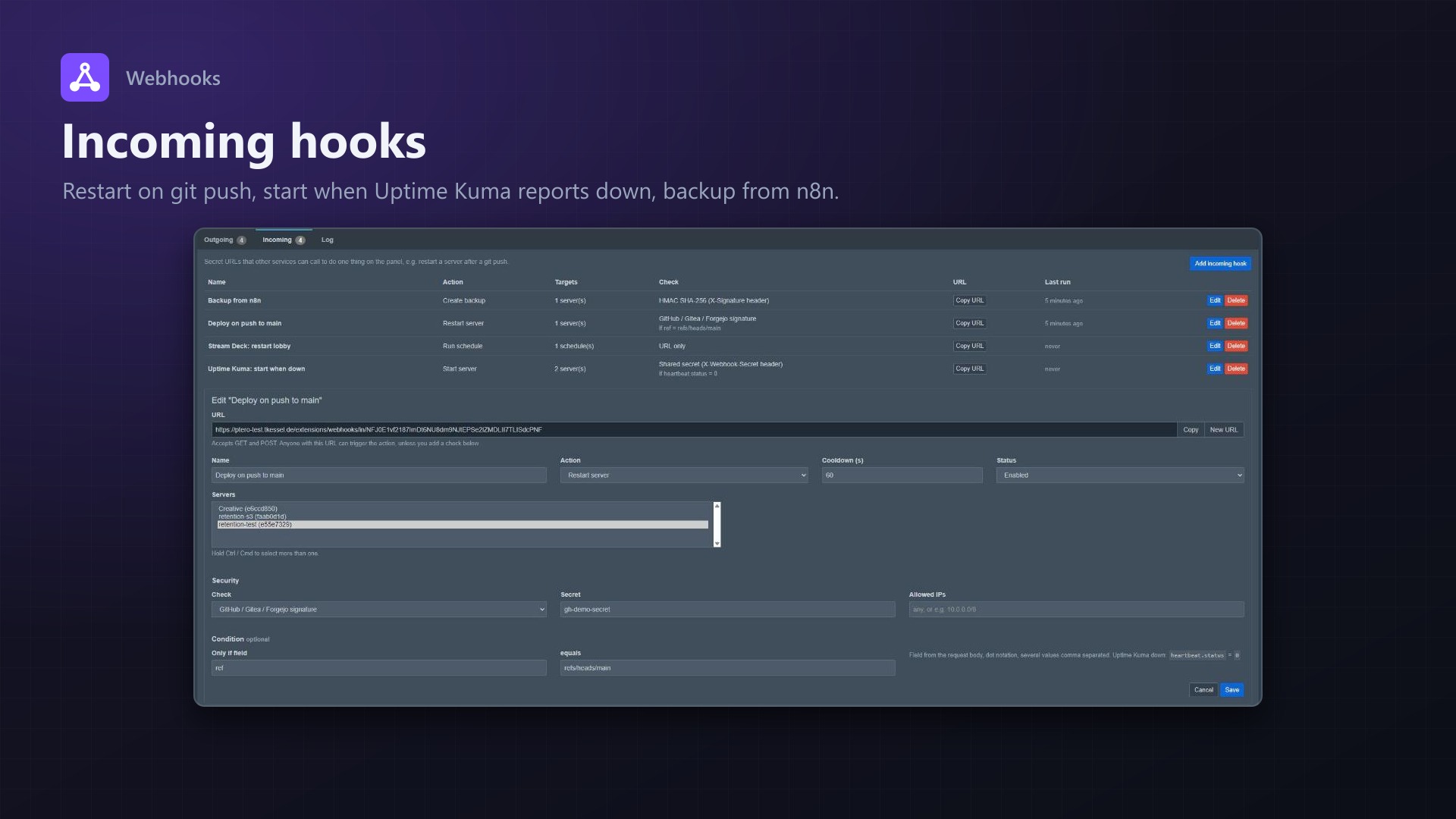
Incoming: secret URLs that other services can call to do one thing on the panel. Restart a server after a git push, start it when Uptime Kuma reports it down, make a backup from n8n.
What people use it for
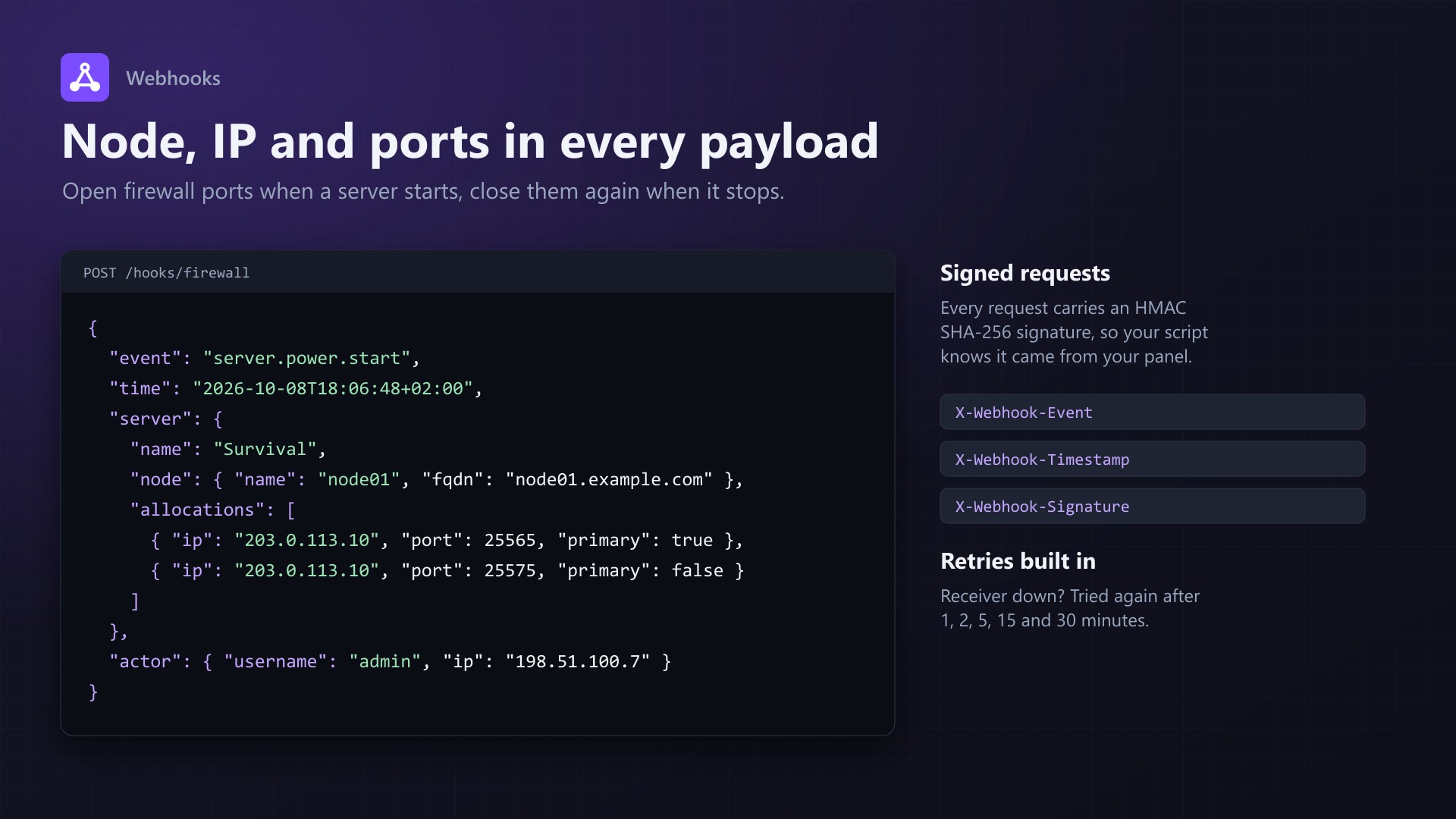
- Firewall / router automation: every server payload includes the node, IP and all ports. Open the ports when a server starts, close them when it stops or gets deleted.
- Notifications in Discord, Slack, Teams, Telegram, WhatsApp, ntfy or Gotify
- Deployments: push to GitHub, Gitea or Forgejo and the server restarts or runs a command
- Self-healing: your monitoring reports a server down, the panel starts it again
- Backups: get told when a backup is done and pull it right away, or trigger backups from your automation
- Audit log of logins, password and email changes, API keys and 2FA
Outgoing
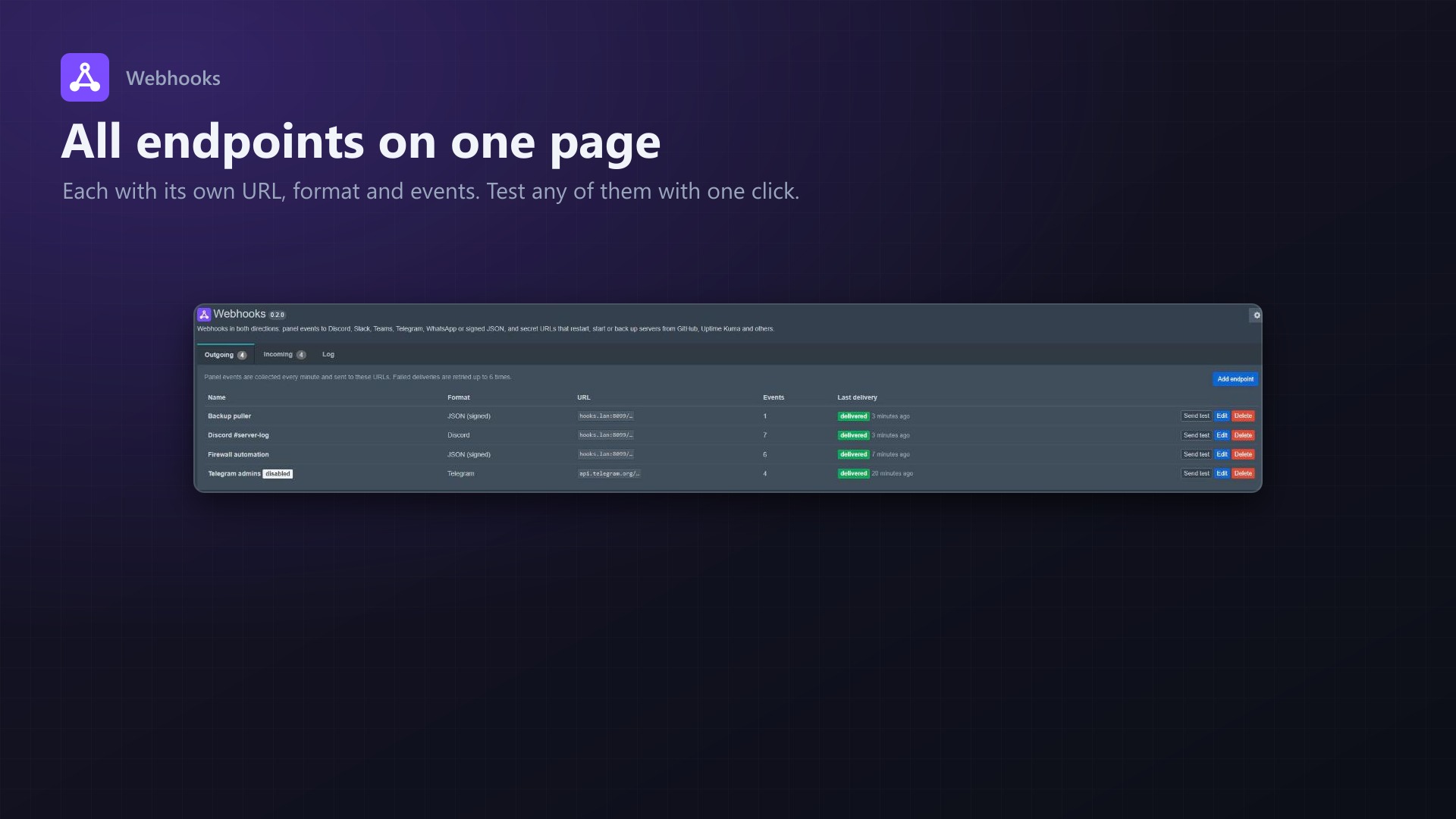
- Any number of endpoints, each with its own URL, format and events
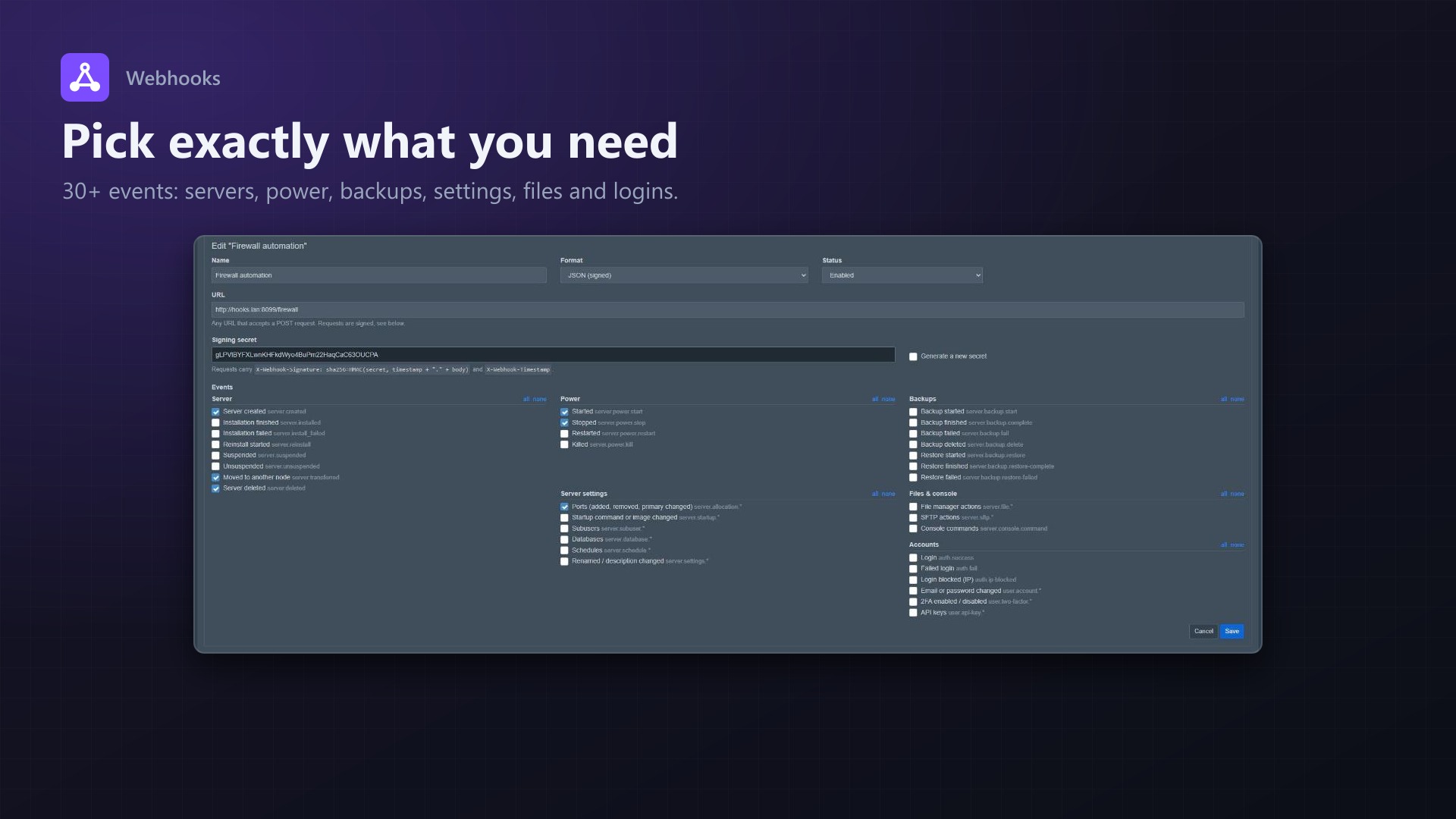
- 30+ events: server lifecycle, power, backups, server settings, files, console, logins and account changes
- Signed JSON (HMAC SHA-256)
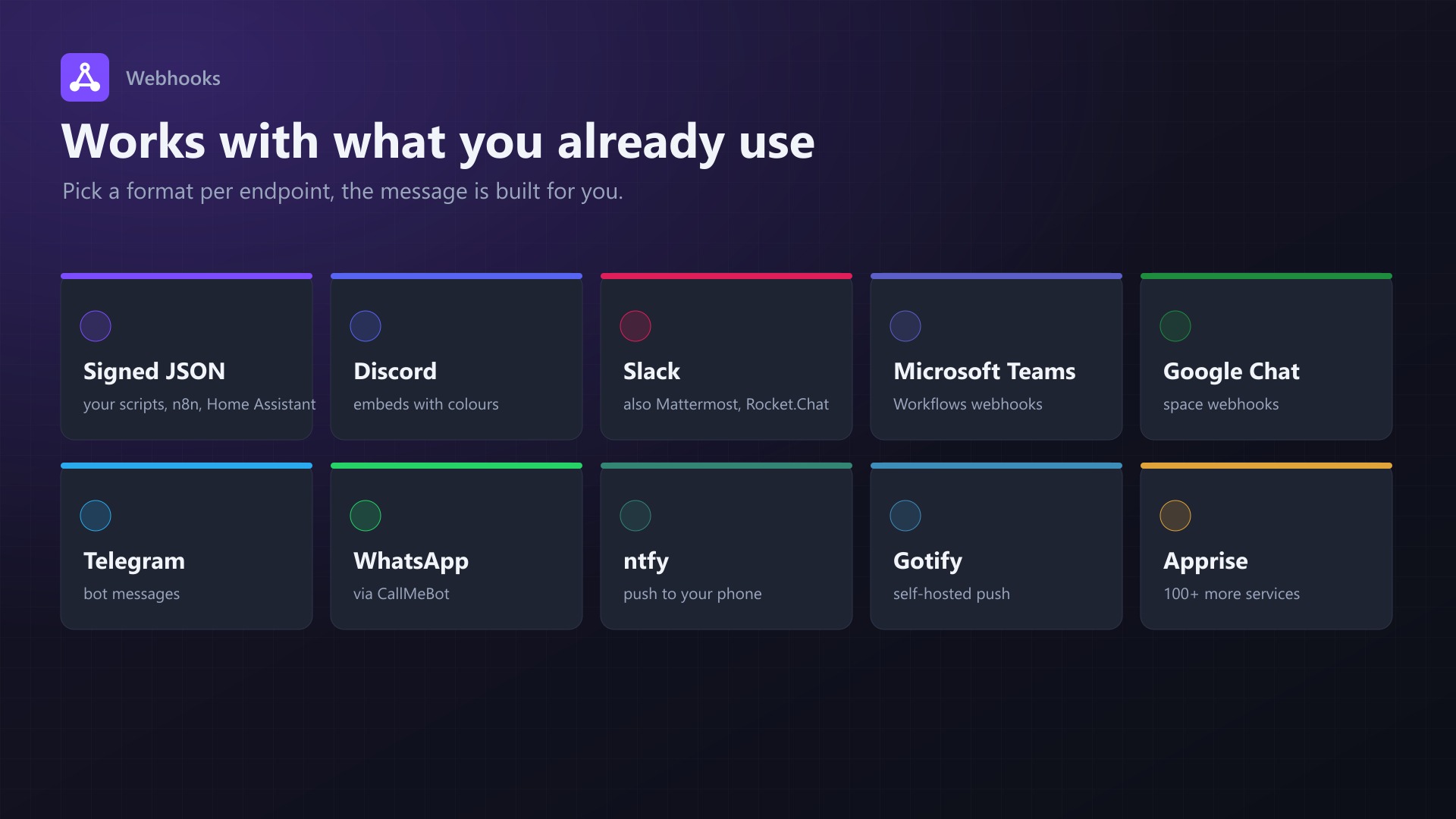
- Ready-made formats: Discord, Slack (also Mattermost / Rocket.Chat), Microsoft Teams, Google Chat, Telegram, WhatsApp (via CallMeBot), ntfy, Gotify and Apprise (100+ more services)
- Automatic retries after 1, 2, 5, 15 and 30 minutes and a "Send test" button
Incoming
- Actions: start, stop, restart, kill, console command, backup, reinstall, suspend, unsuspend, run schedule
- Each URL does exactly one action on the servers you picked, nothing in the request can change that
- Checks: GitHub / Gitea / Forgejo signature, HMAC, shared secret header, IP allowlist, cooldown
- Conditions on request fields, e.g. only for pushes to
mainor only when a monitor is down - Every action shows up in the server's activity log
Also
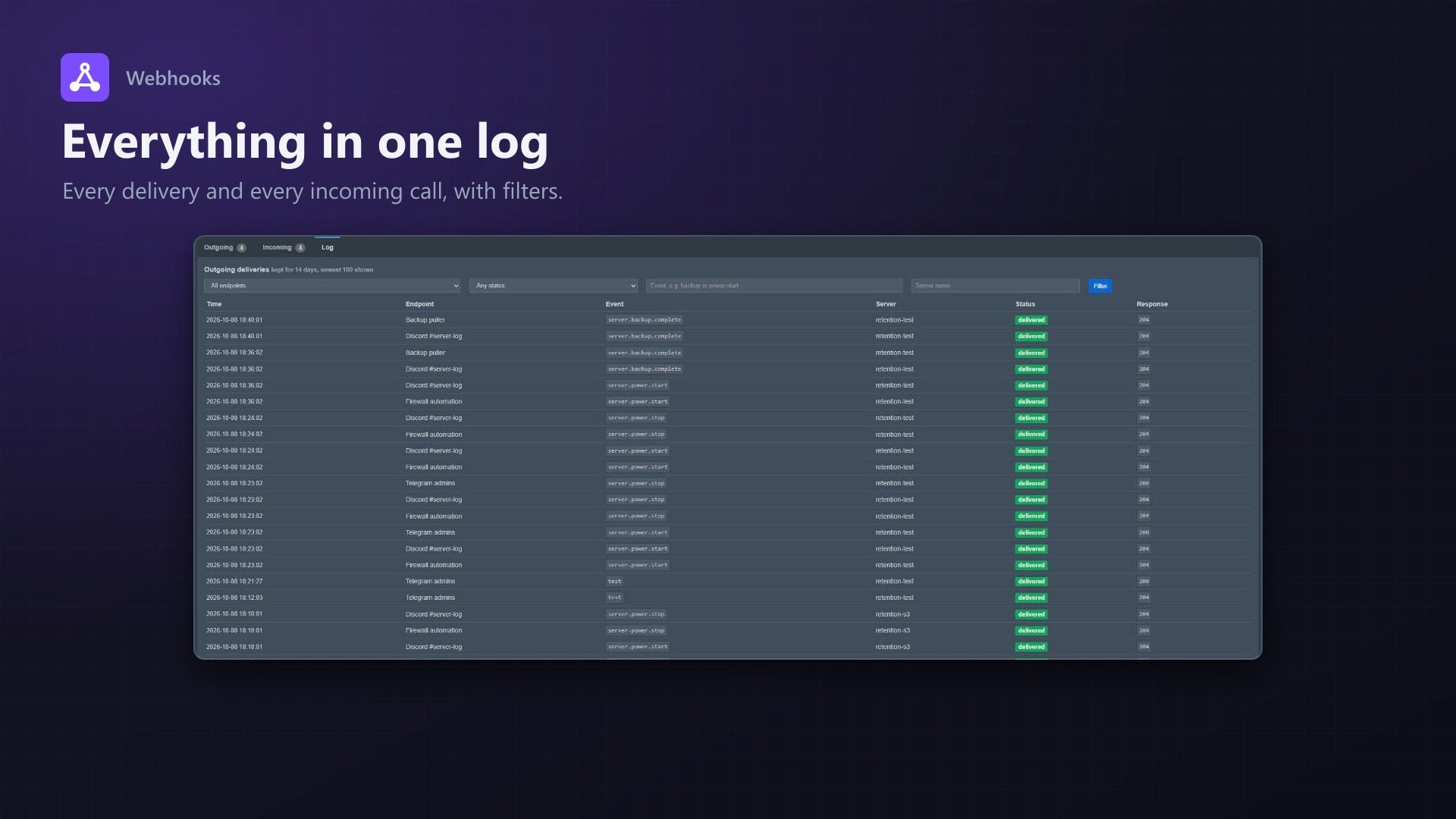
- Clear settings page with Outgoing / Incoming / Log tabs
- Log of every delivery and every incoming call, with filters
- No core files are modified
Good to know
- Outgoing events are collected once a minute. Things Wings reports itself (like a finished backup) arrive in batches every 60 seconds, so those can take up to about two minutes.
- Server crashes can't be detected yet, Wings doesn't report them to the panel.
Documentation
A Blueprint extension for webhooks in both directions.
Outgoing: server started, stopped, created, suspended or deleted, backups finished or failed, logins and more. Send them as signed JSON to your own scripts, or straight to Discord, Slack, Teams, Telegram, WhatsApp and a few others.
Incoming: other services call a URL and the panel does something. Restart a server after a git push, start it when your monitoring reports it down, make a backup from n8n, and so on.
What people use it for
- Firewall / router automation. Every server payload includes the node, IP and all ports. Open the ports when a server is created or started, close them again when it stops or gets deleted.
- Notifications in Discord, Slack, Teams, Telegram, WhatsApp, ntfy or Gotify.
- Backups: get told when a backup finished (or failed) and pull it right away.
- Audit log of logins, password and email changes, API keys and 2FA.
- Anything else: n8n, Home Assistant, Zapier and friends all accept the JSON format.
- Deployments (incoming): push to GitHub, Gitea or Forgejo and the server reloads or restarts.
- Self-healing (incoming): Uptime Kuma or Alertmanager reports a server down, the panel starts it.
Features
- Any number of endpoints, each with its own URL, format and list of events
- 30+ events in six groups (server, power, backups, server settings, files & console, accounts)
- Signed JSON (HMAC SHA-256) so your receiver can check that a request really came from your panel
- Ready-made formats for Discord, Slack, Mattermost, Rocket.Chat, Microsoft Teams, Google Chat, Telegram, WhatsApp, ntfy, Gotify and Apprise (which itself reaches 100+ services)
- Failed deliveries are retried up to 6 times (after 1, 2, 5, 15 and 30 minutes)
- Log of every delivery and every incoming call, with filters
- "Send test" button for every endpoint
- Incoming hooks: start, stop, restart, kill, console command, backup, reinstall, suspend, unsuspend, run a schedule
- Incoming hooks can check GitHub/Gitea/Forgejo signatures, an HMAC or a shared secret, only run when a field in the request matches, and be limited to certain IPs
- No core files are modified
Requirements
- Pterodactyl Panel 1.15.x (tested on 1.15.1 with Wings 1.13.3)
- Blueprint beta-2026-08 or newer
- PHP 8.2+
- The usual
schedule:runcron job of the panel
Installation
Upload webhooks.blueprint to your panel directory (normally /var/www/pterodactyl) and run:
cd /var/www/pterodactyl
blueprint -install webhooks
Then go to Admin > Extensions > Webhooks and add your first endpoint. Use "Send test" to check it.
Events
| Group | Events |
|---|---|
| Server | server.created, server.installed, server.install_failed, server.reinstall, server.suspended, server.unsuspended, server.transferred, server.deleted |
| Power | server.power.start, server.power.stop, server.power.restart, server.power.kill |
| Backups | server.backup.start, server.backup.complete, server.backup.fail, server.backup.delete, server.backup.restore, server.backup.restore-complete, server.backup.restore-failed |
| Server settings | server.allocation.*, server.startup.*, server.subuser.*, server.database.*, server.schedule.*, server.settings.* |
| Files & console | server.file.*, server.sftp.*, server.console.command |
| Accounts | auth.success, auth.fail, auth.ip-blocked, user.account.*, user.two-factor.*, user.api-key.* |
Events with .* cover every event of that kind, e.g. server.file.* includes server.file.write, server.file.delete and so on.
Timing
Events are collected once a minute. Start/stop/restart from the panel show up within a minute. Power actions and backups that Wings reports itself (e.g. a backup finishing) are sent to the panel by Wings in batches every 60 seconds, so those can take up to about two minutes.
Admin actions like creating, suspending or deleting a server are not part of Pterodactyl's activity log in 1.x. The extension picks those up by comparing the server list with the last run instead.
Formats and URLs
| Format | URL |
|---|---|
| JSON (signed) | Any URL that accepts POST |
| Discord | https://discord.com/api/webhooks/... (channel settings > Integrations > Webhooks) |
| Slack / Mattermost / Rocket.Chat | The incoming webhook URL |
| Microsoft Teams | A Workflows webhook URL ("Post to a channel when a webhook request is received"). The old Office 365 connector webhooks were shut down by Microsoft in 2026. |
| Google Chat | https://chat.googleapis.com/v1/spaces/.../messages?key=...&token=... |
| Telegram | https://api.telegram.org/bot<bot token>/sendMessage?chat_id=<chat id> |
https://api.callmebot.com/whatsapp.php?phone=<number>&apikey=<key> | |
| ntfy | https://ntfy.sh/<topic> or your own server |
| Gotify | https://gotify.example.com/message?token=<app token> |
| Apprise | http://apprise:8000/notify/<config key> |
Telegram: create a bot with @BotFather, add it to your group or start a chat with it, and get the chat id (e.g. from https://api.telegram.org/bot<token>/getUpdates).
WhatsApp: WhatsApp's official API only delivers business messages through pre-approved templates, which doesn't work for notifications like these. The extension uses CallMeBot, a free service for personal notifications: send "I allow callmebot to send me messages" to their number and you get an API key back. It's a third-party service, so for anything important you'll probably want Telegram or ntfy instead.
JSON payload
{
    "id": "2a82c956-e507-4224-82de-7bb493dc4514",
    "event": "server.power.start",
    "time": "2026-10-08T17:58:33+02:00",
    "server": {
        "id": 1,
        "uuid": "e55e7329-6e32-4805-ab73-db8e81903bd4",
        "identifier": "e55e7329",
        "name": "Survival",
        "status": null,
        "node": { "id": 1, "name": "node01", "fqdn": "node01.example.com" },
        "allocations": [
            { "ip": "203.0.113.10", "alias": null, "port": 25565, "primary": true }
        ]
    },
    "actor": { "username": "admin", "ip": "198.51.100.7" },
    "properties": {}
}
server is null for account events, actor is null for changes detected from the server list (created, suspended, deleted, ...). properties contains whatever Pterodactyl logged with the event, e.g. the file name for server.file.write.
Headers and signature
Every JSON request carries:
X-Webhook-Id: <unique id of this delivery>
X-Webhook-Event: server.power.start
X-Webhook-Timestamp: 1791475113
X-Webhook-Signature: sha256=<hex>
The signature is an HMAC SHA-256 of <timestamp>.<raw body> with the endpoint's secret (shown when you edit the endpoint). Checking it in PHP:
$expected = 'sha256=' . hash_hmac('sha256', $_SERVER['HTTP_X_WEBHOOK_TIMESTAMP'] . '.' . file_get_contents('php://input'), $secret);

if (!hash_equals($expected, $_SERVER['HTTP_X_WEBHOOK_SIGNATURE'])) {
    http_response_code(401);
    exit;
}
Also reject requests with an old timestamp (a few minutes) if you want to be safe against replays. Retries keep the same X-Webhook-Id, so you can use it to ignore duplicates.
Incoming hooks
Each incoming hook is a secret URL that does exactly one thing on the servers (or schedules) you pick:
https://panel.example.com/extensions/webhooks/in/<48 character token>It accepts GET and POST and answers with JSON, e.g. {"ok": true, "status": "ok", "message": "Restart server on 1 target(s)", "results": [...]}.
| Action | What it does |
|---|---|
| Start / Stop / Restart / Kill | Power action, same as the buttons in the panel |
| Send console command | Sends the command you configured (only while the server is running) |
| Create backup | Starts a backup named "Webhook: <hook name>". At the backup limit the oldest unlocked backup makes room, like with scheduled backups. |
| Reinstall server | Runs the install script again |
| Suspend / Unsuspend | Same as in the admin area |
| Run schedule | Queues the schedule like "Run now", also for schedules that are disabled |
The action and its targets are fixed per hook, nothing in the request can change them. If a URL leaks, the worst it can do is that one action. Use "New URL" on the hook to invalidate it.
Checks
| Check | How it works |
|---|---|
| URL only | The token in the URL is the only protection |
| GitHub / Gitea / Forgejo | Verifies X-Hub-Signature-256 (or X-Gitea-Signature / X-Forgejo-Signature) with the secret. Put the same secret into the webhook settings of your repository. |
| HMAC SHA-256 | X-Signature: <hex HMAC SHA-256 of the raw body> (a sha256= prefix is fine too) |
| Shared secret | X-Webhook-Secret: <secret>, for tools that can add headers but can't sign |
On top of that:
- Only if field ... equals ... runs the action only when a field of the request body has one of the given values (dot notation, comma separated). Everything else is answered with
skippedand HTTP 200, so the sender doesn't retry. - Allowed IPs limits the hook to single addresses or ranges (
10.0.0.0/8). - Cooldown ignores calls for X seconds after a run (HTTP 429).
- GitHub/Gitea/Forgejo
pingevents are answered without doing anything. - All hook URLs share a limit of 60 calls per minute per IP.
Every call is listed under "Incoming calls" on the settings page, and every action is written to the server's activity log with "webhook": "<hook name>". Those activity entries also trigger your outgoing webhooks, so you can e.g. get a Discord message when a hook restarted a server.
Examples
Restart after a push to main (GitHub, Gitea, Forgejo) Action Restart, check GitHub / Gitea / Forgejo, only if ref equals refs/heads/main. In the repository go to Settings > Webhooks, paste the URL, content type application/json and the secret.
Start a server when Uptime Kuma reports it down Action Start, check Shared secret, only if heartbeat.status equals 0. In Uptime Kuma add a "Webhook" notification with the URL, body Preset - application/json and the additional header {"X-Webhook-Secret": "<secret>"}.
Backup from n8n, cron or a script
curl -X POST -H "X-Webhook-Secret: <secret>" https://panel.example.com/extensions/webhooks/in/<token>| HTTP status | Meaning |
|---|---|
| 200 | Done (ok) or intentionally skipped (skipped, e.g. condition not met or ping) |
| 401 | Signature or secret wrong |
| 403 | IP not allowed |
| 404 | Unknown or disabled hook |
| 429 | Cooldown, already running or rate limit |
| 502 | The action failed on every target (see results) |
Retries
Anything other than a 2xx response (or a timeout after 5 seconds) counts as failed. The delivery is retried after 1, 2, 5, 15 and 30 minutes, then it's marked as failed. Deliveries are kept for 14 days.
Running it by hand
cd /var/www/pterodactyl
php artisan webhooks:dispatch
FAQ
Can incoming hooks create servers? Not in this version. They run actions on existing servers.
Does it slow down the panel? No. Everything runs in the background once a minute, nothing happens during page loads.
Will I get flooded with old events after installing? No. The first run only remembers where it is, events start from that point.
Can I get notified when a server crashes? Not yet. Wings detects crashes but doesn't report them to the panel, so the extension can't see them.
Does it modify Pterodactyl files? No. It adds its own settings page, five database tables, a console command and the /extensions/webhooks/in/... route through Blueprint.
Uninstalling
cd /var/www/pterodactyl
blueprint -remove webhooks
Blueprint doesn't drop database tables on removal, so your endpoints are still there if you install it again. To remove them for good, drop webhook_endpoints, webhook_deliveries, webhook_server_states, webhook_incoming and webhook_incoming_logs from the panel database.
Changelog
0.3.3 (2026-10-11)
- The update notice also works in the package from the licence site and the marketplaces; in the previous version it stayed hidden there.
0.3.2 (2026-10-11)
- Update notice: when a newer version is out, Admin > Extensions and the licence box on the admin page show it, with what is new. With the optional update helper (set up once as root), the update runs with one click after a backup of the panel files and the database.
0.3.1 (2026-10-10)
- The licence box on the admin page explains that one purchase covers one panel (one domain and server; subdomains count as separate panels)
0.3.0 (2026-10-10)
- Licence check: the extension now needs a licence key, free with the purchase on sourceXchange. Get it on texus-addons.de, or download the extension there with the key built in.
- Licence box on the admin page
- The PHP code of the extension is obfuscated
0.2.0 (2026-10-08)
- Incoming hooks: secret URLs that start, stop, restart or kill servers, send a console command, create a backup, reinstall, suspend, unsuspend or run a schedule
- Checks for incoming hooks: GitHub / Gitea / Forgejo signature, HMAC, shared secret header, conditions on request fields, IP allowlist, cooldown
- Log of incoming calls, actions are written to the server activity log
- Settings page reorganized into Outgoing / Incoming / Log tabs, forms only open when needed
- Log filters: endpoint, status, event and server for deliveries, hook and result for incoming calls
- Overview shows only the host of endpoint URLs (Discord, Slack and Telegram keep their token in the path)
- Event checkboxes on the settings page now show their state correctly
- "Test event" title for test messages
Licence and download
One purchase = one licence = one panel. The licence is bound to one panel domain and the server it runs on. Subdomains count separately. You can move the licence at any time in your account.
After buying on sourceXchange or BuiltByBit, sign in here with your email address (BuiltByBit: redeem your activation code). You download the extension with the licence key built in, and every new version from your account.
Questions before buying? Ask on our Discord support server or at support@texus-addons.de.
Related
Discord Panel Bot
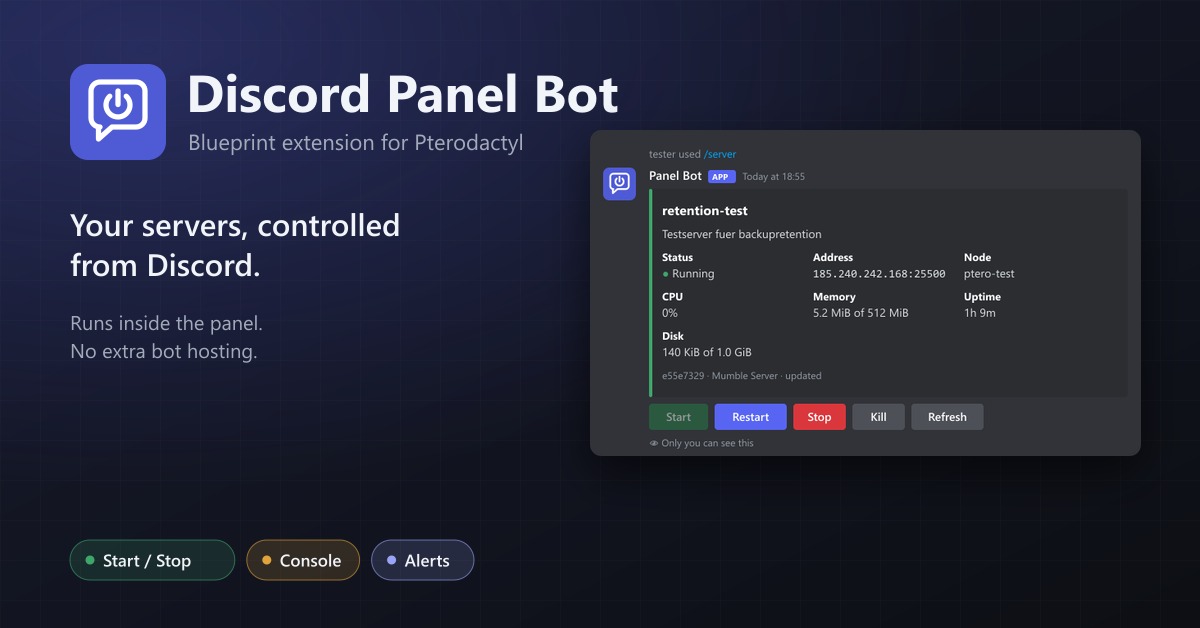
Discord slash commands for your servers, answered by the panel itself: status, power, console, backups and node alerts. No extra hosting.
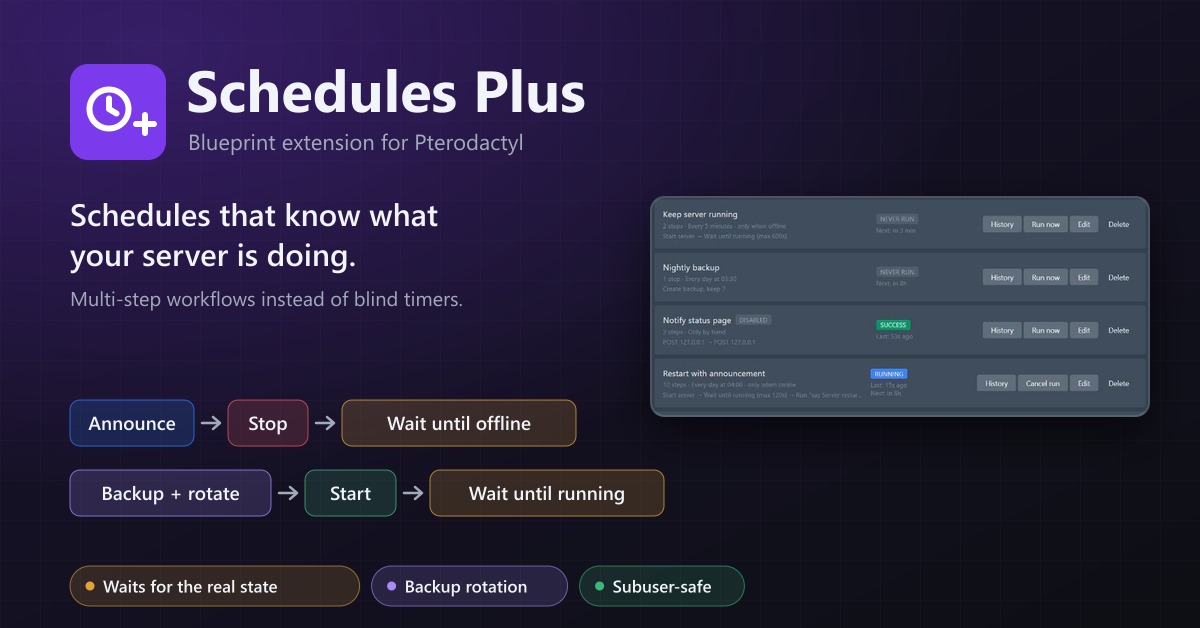
Schedules Plus
Multi-step server workflows that wait for the real server state: announce, stop, back up with rotation, start again.
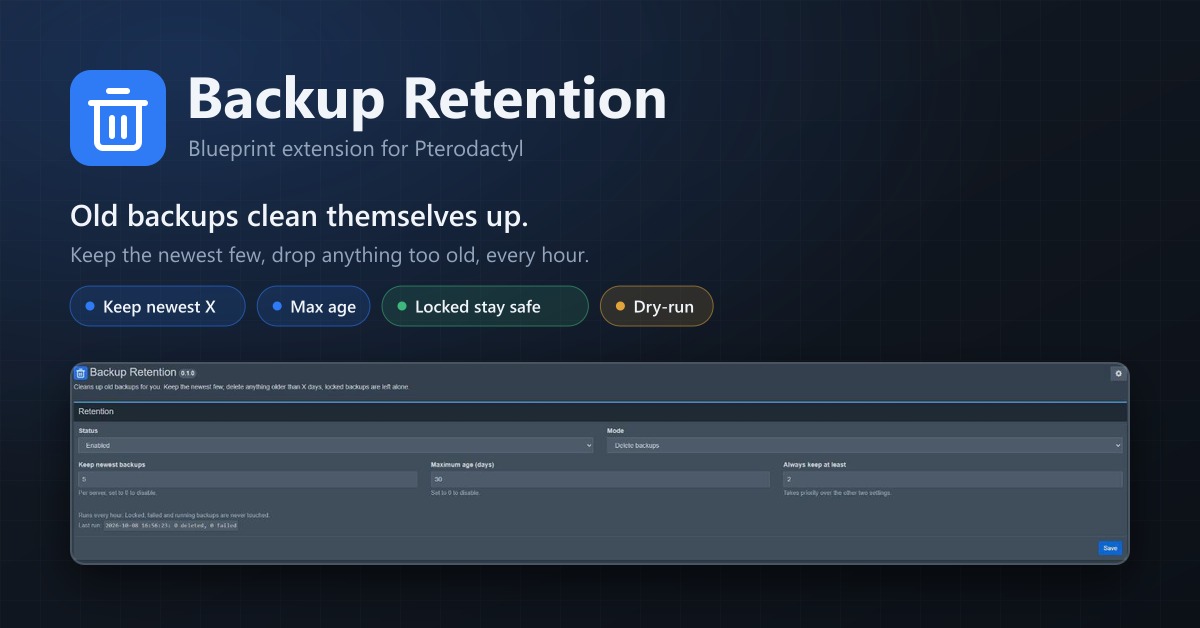
Backup Retention
Automatically deletes old backups. Keep the newest few, remove anything older than X days, locked backups stay.