 texus Addons und Themes
Security Alerts
Email users when someone signs in from a new IP, their password or email changes, 2FA is turned off or a key is added.
4,99 €
- Version 0.2.3, updated 10 October 2026
- For Pterodactyl Panel 1.15.x with Blueprint
- No core files modified, installs and removes with Blueprint
- One licence for one panel, new versions included
Screenshots
Features
Pterodactyl records sign-ins and account changes in each account's activity log, but nobody looks there until it's too late. Security Alerts emails your users within a minute, so an account takeover gets noticed by the one person who can tell whether it was them.
Alerts
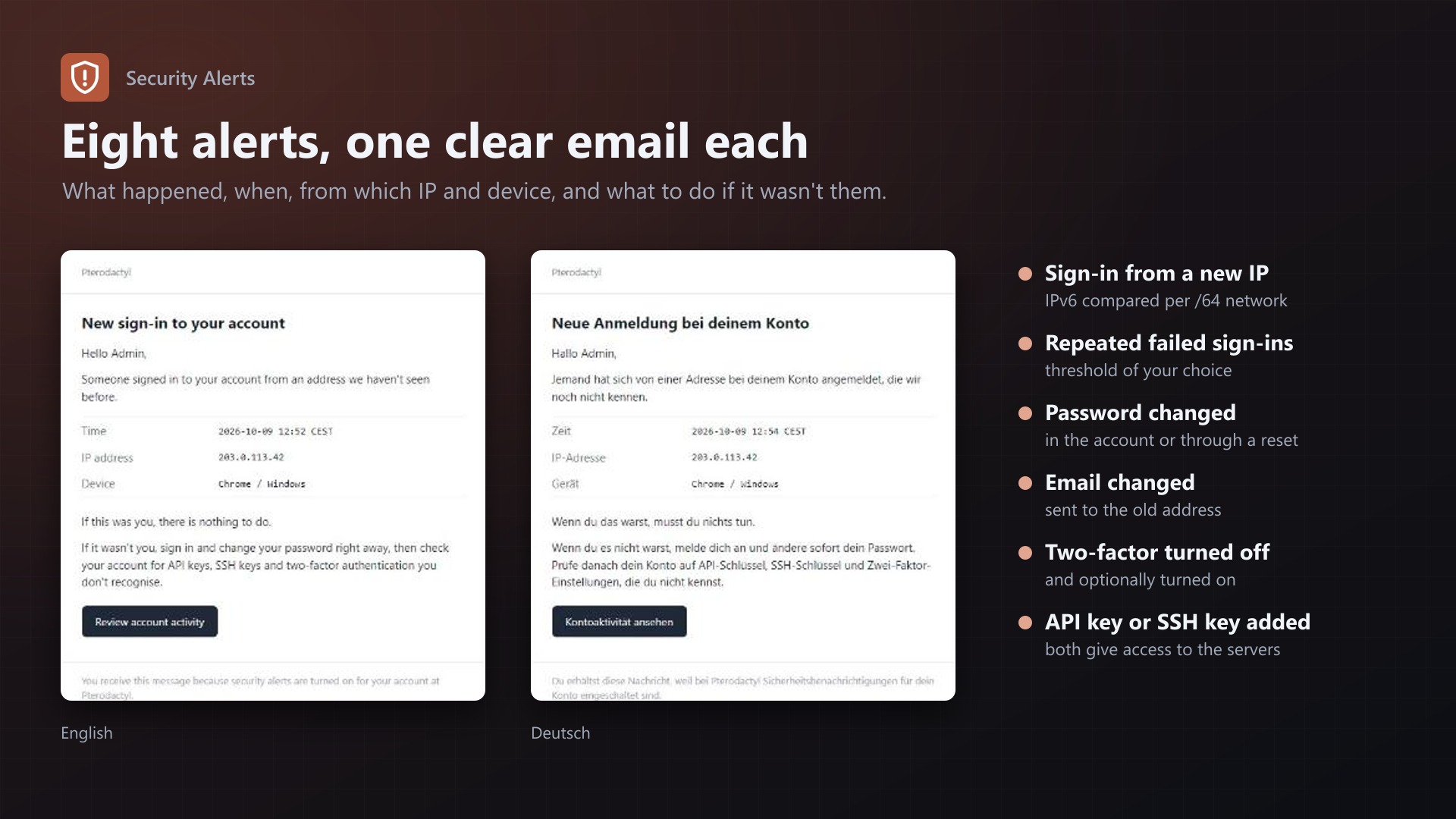
- Sign-in from a new IP address (IPv6 compared by /64 network)
- Repeated failed sign-ins, threshold of your choice
- Password changed, in the account or through "Forgot password"
- Email address changed, sent to the old address
- Two-factor authentication turned off (and optionally turned on)
- API key created
- SSH key added
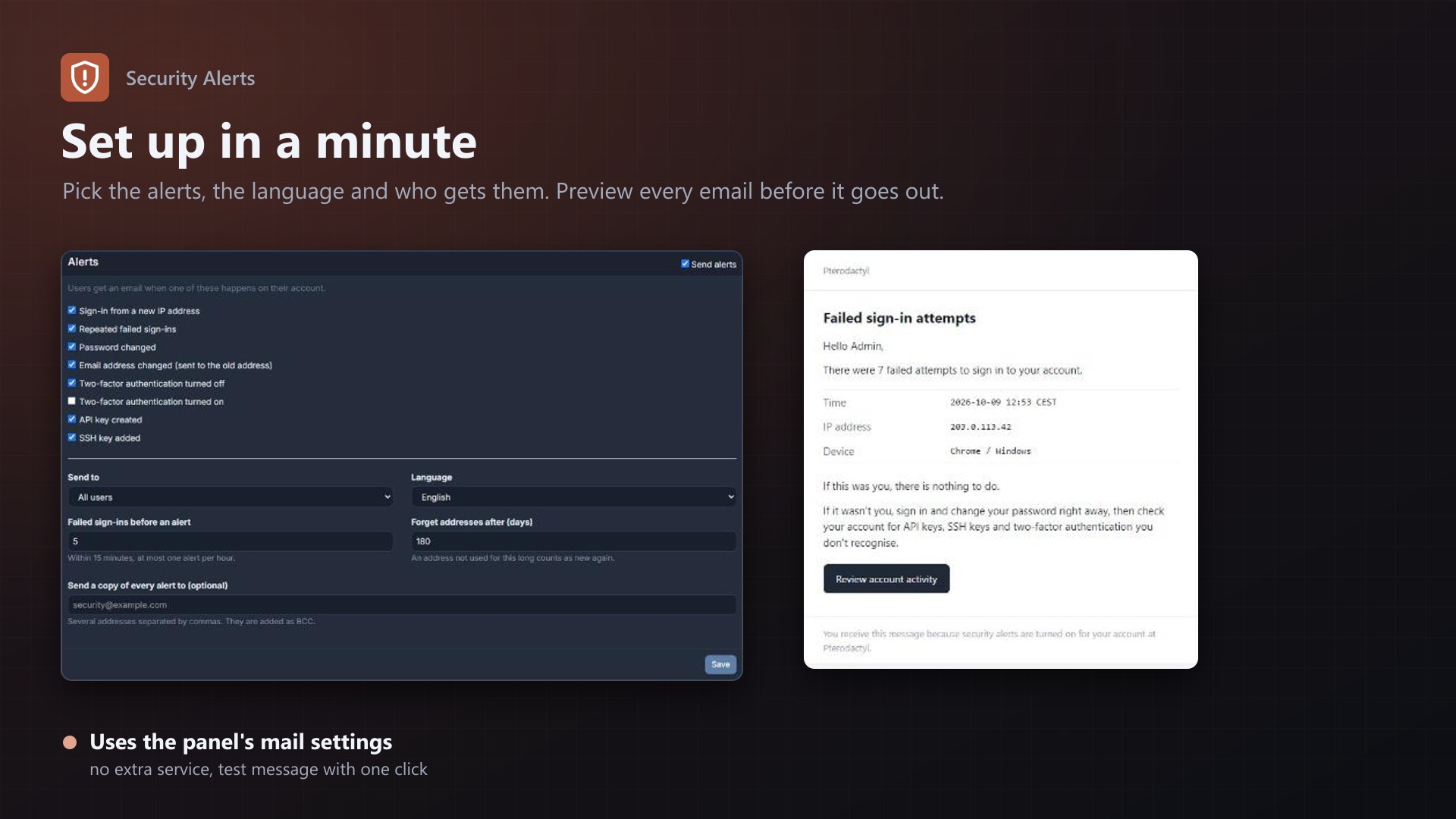
Each alert can be turned on or off.
Features
- Clear emails with time, IP address, browser and system, what to do if it wasn't them, and a link to the account activity
- English and German emails, with a preview of every email on the admin page
- Send to all users or administrators only
- Optional BCC addresses that receive a copy of every alert
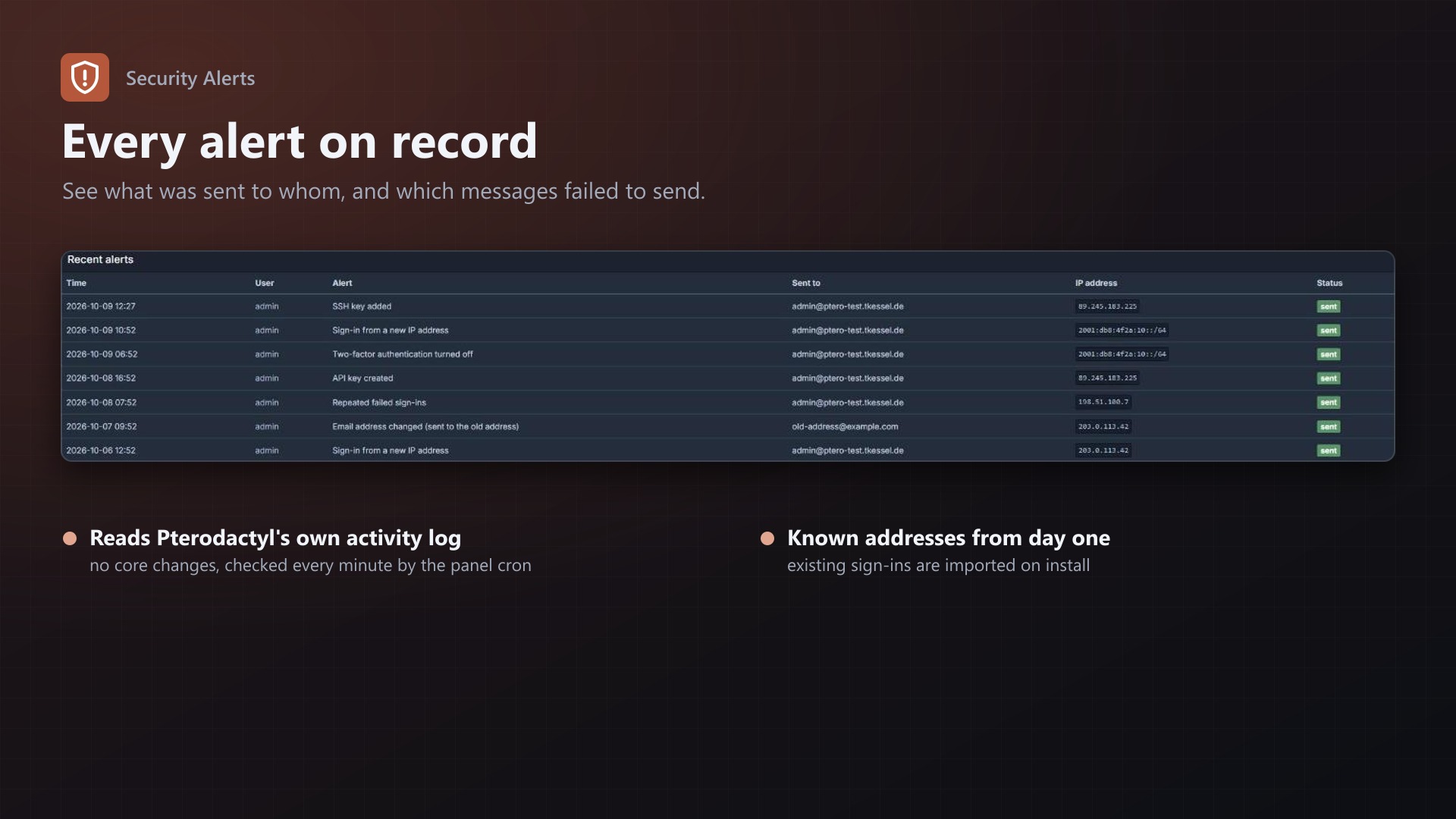
- Test message button and a log of every alert, including send errors
- Known sign-in addresses are imported on install, so nobody gets flooded on day one
- Uses the panel's own mail settings and activity log. No core files are modified.
Documentation
A Blueprint extension that emails your users when something security-relevant happens on their Pterodactyl account: a sign-in from a new IP address, repeated failed sign-ins, a changed password or email address, two-factor authentication turned off, or a new API or SSH key.
Pterodactyl already records these events in each account's activity log, but nobody looks there until it's too late. Security Alerts turns them into an email within a minute, so an account takeover gets noticed by the person who can tell whether it was them.
Features
- Eight alerts, each can be turned on or off: | Alert | Default | |---|---| | Sign-in from a new IP address | on | | Repeated failed sign-ins (threshold of your choice within 15 minutes) | on | | Password changed, in the account or through "Forgot password" | on | | Email address changed, sent to the old address | on | | Two-factor authentication turned off | on | | Two-factor authentication turned on | off | | API key created | on | | SSH key added | on |
- Clear emails with the time, IP address, browser and system, what to do if it wasn't them, and a link to the account's activity page
- English and German emails
- Preview of every email on the admin page
- Send to all users or administrators only
- Copy to the admins: optional BCC addresses that receive every alert
- Test message button to check the panel's mail settings
- Log of every alert sent, with errors for messages that failed
- Uses the panel's own mail settings and activity log. No core files are modified.
Requirements
- Pterodactyl Panel 1.15.x (tested on 1.15.1)
- Blueprint beta-2026-08 or newer
- Working mail settings in the panel (Admin > Settings > Mail), as needed for password resets anyway
- The panel's cron job, as required by Pterodactyl anyway
Installation
Upload securityalerts.blueprint to your panel directory (normally /var/www/pterodactyl) and run:
cd /var/www/pterodactyl
blueprint -install securityalerts
Open Admin > Extensions > Security Alerts and click Send a test message. If it arrives, alerts work too. They are on from the start with the defaults above.
Settings
| Setting | Default | |
|---|---|---|
| Send alerts | on | Main switch |
| Alerts | see above | Which events send an email |
| Send to | All users | Or administrators only |
| Language | English | English or German |
| Failed sign-ins before an alert | 5 | Counted over 15 minutes. A user gets at most one such alert per hour. |
| Forget addresses after | 180 days | An address not used for this long counts as new again |
| Send a copy of every alert to | empty | Comma-separated addresses, added as BCC |
How it works
- The panel's cron job runs
securityalerts:runevery minute. It reads the new entries of Pterodactyl's activity log since the last run and sends the matching emails. - New IP addresses: the extension remembers the addresses each user signed in from. On install it imports the sign-ins Pterodactyl already logged, so known addresses aren't reported as new. An account's very first sign-in isn't reported either. IPv6 addresses are compared by their /64 network, because devices change the rest of the address regularly.
- Failed sign-ins are counted per account. Attempts for user names that don't exist can't be attributed to anyone and are not counted.
- On the first run after installing, the extension starts at the current end of the activity log. It doesn't send alerts for older events.
- The alert log is kept for a year.
FAQ
Users who stay signed in don't get a "new sign-in" alert. Why? Pterodactyl only logs a sign-in when someone enters their password (and 2FA code). Returning with a "remember me" session isn't a new sign-in, so there is nothing to report.
Can users turn alerts off for themselves? Not in this version. You can limit alerts to administrators or turn single alerts off for everyone.
What if an admin changes a user's email or password in the admin area? Pterodactyl doesn't log changes made in the admin area to the user's activity log, so they don't trigger alerts.
Does it slow down the panel? No. Nothing runs during page loads. The cron job reads only the new log entries once a minute.
Where does the IP address come from behind Cloudflare or a reverse proxy? From Pterodactyl's activity log. If the log shows your proxy's address instead of the visitor's, configure trusted proxies in Pterodactyl (TRUSTED_PROXIES in .env). Without that, the "new IP" alert can't work properly.
Uninstall
blueprint -remove securityalertsBlueprint doesn't drop database tables on removal, so the known addresses and the alert log are still there if you install it again. To remove them completely, drop securityalerts_known_ips and securityalerts_log from the panel database.
Support
Questions and bug reports through the support link on the product page. If alerts don't arrive, send the error shown in the "Recent alerts" table or after "Send a test message".
Changelog
0.2.3 (2026-10-11)
- The update notice also works in the package from the licence site and the marketplaces; in the previous version it stayed hidden there.
0.2.2 (2026-10-11)
- Update notice: when a newer version is out, Admin > Extensions and the licence box on the admin page show it, with what is new. With the optional update helper (set up once as root), the update runs with one click after a backup of the panel files and the database.
0.2.1 (2026-10-10)
- The licence box on the admin page explains that one purchase covers one panel (one domain and server; subdomains count as separate panels)
0.2.0 (2026-10-10)
- Licence check: the extension now needs a licence key, free with the purchase on sourceXchange. Get it on texus-addons.de, or download the extension there with the key built in.
- Licence box on the admin page
- The PHP code of the extension is obfuscated
0.1.0 (2026-10-09)
First release.
- Email alerts for sign-ins from new IP addresses, repeated failed sign-ins, password changes and resets, email changes (to the old address), two-factor authentication turned off or on, new API keys and SSH keys
- IPv6 addresses compared by /64 network, existing sign-ins imported on install
- English and German emails with preview on the admin page
- All users or administrators only, optional BCC addresses
- Test message and log of all alerts
- Tested on Pterodactyl 1.15.1, Blueprint beta-2026-08
Licence and download
One purchase = one licence = one panel. The licence is bound to one panel domain and the server it runs on. Subdomains count separately. You can move the licence at any time in your account.
After buying on sourceXchange or BuiltByBit, sign in here with your email address (BuiltByBit: redeem your activation code). You download the extension with the licence key built in, and every new version from your account.
Questions before buying? Ask on our Discord support server or at support@texus-addons.de.
Related
Turnstile & hCaptcha
Use Cloudflare Turnstile or hCaptcha instead of Google reCAPTCHA on your panel's login. No core changes.
Staff Roles
Staff roles without root admin: permissions per role, a staff area, and time-limited support access to servers.
SSO Login
Sign in with your identity provider: OpenID Connect, Discord, GitHub or Google, with group to role mapping.