 texus Addons und Themes
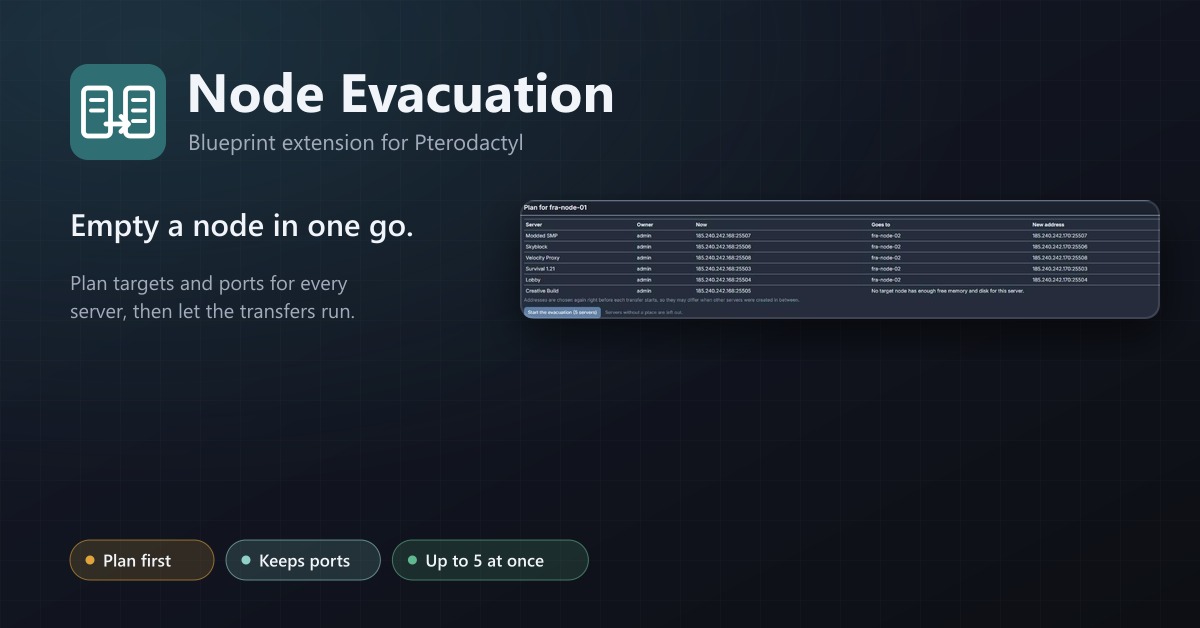
Node Evacuation for Pelican
Empty a Pelican node in one run: plan where every server goes, then move them a few at a time with the panel's own transfer and watch the progress.
12,99 €
- Version 0.1.1, updated 22 November 2026
- For Pelican Panel 1.0 and newer (plugin system)
- No core files modified, installs and removes with the panel's plugin manager
- One licence for one panel, new versions included
Screenshots
Features
Replacing a machine, moving to a new data centre or freeing a node for maintenance means moving every server on it. Pelican moves them one by one: open the server, pick a node, pick an address, wait, repeat. Node Evacuation plans the whole node and runs the transfers for you.
Plan first
- Choose the node to empty and the nodes that may take its servers
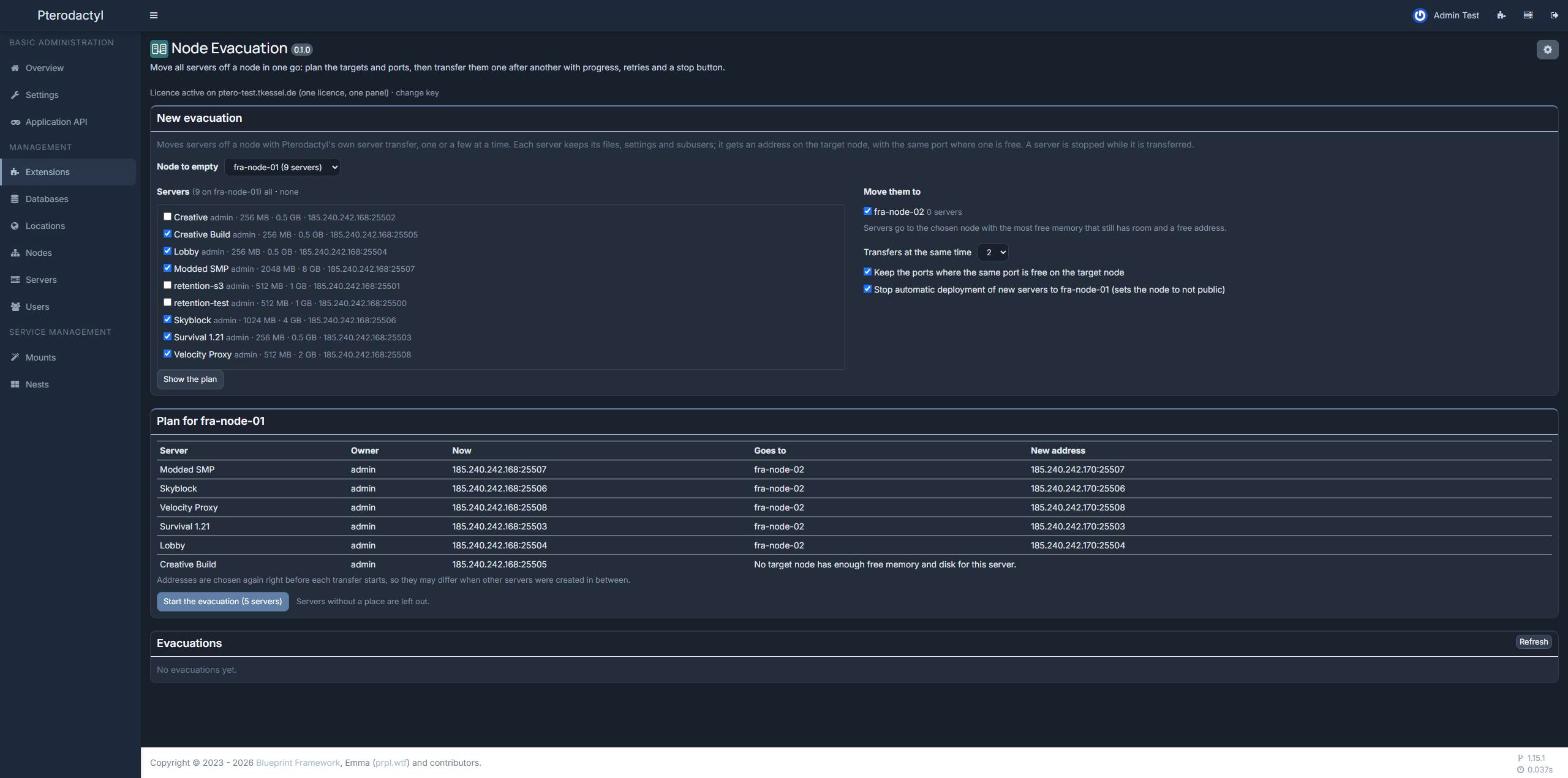
- See the plan before anything moves: target node and new address for every server
- Servers that cannot move (no room, not enough free addresses, busy) are listed with the reason
- Keeps the port numbers of the servers where it can, so players keep their address
Run it safely
- Only a few transfers at the same time (1 to 5), so the network and the nodes stay usable
- Pause, continue, or cancel at any time; transfers under way finish on their own
- Failed transfers stop the run (optional) and can be tried again with one click
- A server that does not stop in time is not moved and keeps running; the run tells you why
Clear progress
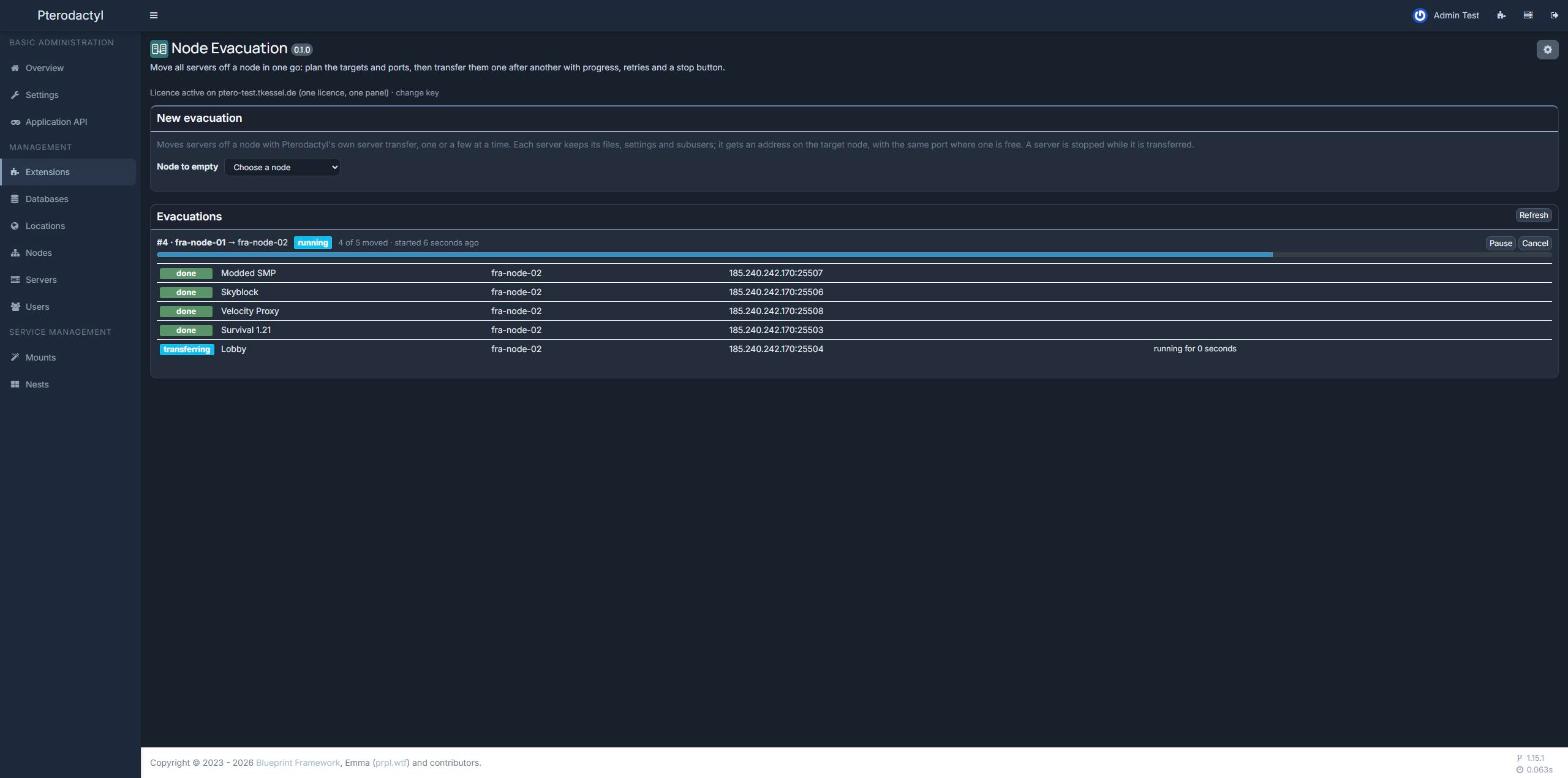
- Done, moving, waiting, failed and skipped, per server, updated every few seconds
- Optional maintenance mode on the emptied node while the run goes on
Built for admins
- Root admins only; every run stays in the list until you remove it
- German and English texts; the help explains each step and the usual problems
Documentation
Empty a node in one go. You choose the node and the nodes that take its servers; the plugin plans where every server goes, you look at the plan, and then it moves a few servers at a time with the panel's own transfer and shows the progress.
Version 0.1.0 for Pelican Panel 1.0 (^1.0.0-rc.1). Admin page: Node Evacuation (root admins only).
Install
Copy the folder texusevacuate to plugins/ of the panel and run php artisan p:plugin:install texusevacuate, or use the plugin page of the panel. Enter the licence key on the page (button Licence).
The plugin uses the panel's scheduler (php artisan schedule:run every minute, as for the rest of the panel): once a minute it looks at the running transfers and starts the next ones.
How it works
- Plan an evacuation. Choose the node to empty, one or more target nodes, how many servers may move at the same time (1 to 5), whether to pause when a transfer fails, and whether the node goes into maintenance mode when it starts. Planning moves nothing.
- Look at the plan. The button Servers shows every server with its target node. Servers that cannot move are listed as skipped with the reason (no node has room, not enough free allocations, the server is busy).
- Start. The plugin starts transfers up to the limit and starts the next one whenever one finishes. Pause stops starting new ones, Cancel ends the run (transfers already under way finish by themselves), Try failed again queues failed servers again.
How a target is chosen: a server only goes to a node where it fits (memory, disk, CPU, including the node's overallocation, the same test as the panel's own) and that has enough free allocations. Among those the node with the most memory left is taken. Allocations with the same port number are kept where possible, so players keep their port. The real choice is made when the transfer starts, because nodes fill up while a run is going; transfers under way count against their target.
Help (English)
Before you start. Both nodes must be online and reachable from each other (the source node sends the server to the target node directly). Add enough free allocations to the target nodes first: every server needs as many as it has now, a server with extra ports needs extra ones.
While it runs. A server is stopped while it is copied and is not started again afterwards (this is how the panel's transfer works). Start the servers again when the run is done, or ask users to. Keep the number of simultaneous transfers low on slow links; big servers take a long time.
Notes.
- A transfer that is not finished after 6 hours counts as failed here; the panel's transfer record stays as it is. Look at the server in the panel and the node logs.
- Maintenance mode on the node keeps players out of its servers. It stays on after the run, so you can work on the empty node; switch it off on the node's page. Cancelling a run switches it off again.
- If the panel is restarted or the scheduler stops, the run just waits and continues when it runs again.
- Servers that were busy (installing, restoring a backup or already moving) when planning are skipped; a server that becomes busy later is tried again on the next step.
Stop timeout. Before a transfer the old node stops the server. If the server does not stop in time (for example a game that ignores the stop command), the panel refuses the transfer. The plugin then marks that server as failed with the message "the old node did not answer in time", closes the transfer request it made and releases the target addresses again. The server keeps running on its node, nothing is half moved. Fix the stop (the stop command of the egg or the game itself), then press "Try failed again". A run with the option "pause on failure" waits until you do.
A transfer hangs open. The panel keeps a transfer open until the old node reports the result. If a transfer shows as "moving" for a long time (the plugin marks it as "timed out" after 6 hours, but the panel's record stays open), the server is blocked on the panel until that record is closed. What to do:
- Look at the server in the panel and at the logs of both nodes (is the server still on the old node, and is it running?).
- If the server is still on the old node and the node does not report anything more, cancel the transfer in the panel's server or node view and start the server again (the stop may have left it stopped).
- Only when the server is in its old place and running (or stopped on purpose), press "Try failed again" in the plugin.
Do not press it while the transfer is still open in the panel.
Problems.
- Nothing starts: is the scheduler running (
php artisan schedule:runin cron)? The button Check now does one step by hand. - "No target node has enough free allocations": add allocations on the target nodes (any IP of that node).
- "The panel reports that the transfer failed": open the node logs of both nodes; common causes are a full disk on the target and a firewall between the nodes.
Hilfe (Deutsch)
Vorher. Beide Nodes müssen online sein und sich gegenseitig erreichen (die Quell-Node schickt den Server direkt an die Ziel-Node). Lege zuerst genug freie Allokationen auf den Ziel-Nodes an: jeder Server braucht so viele, wie er jetzt hat, ein Server mit zusätzlichen Ports entsprechend mehr.
Während des Laufs. Ein Server ist beim Kopieren gestoppt und wird danach nicht wieder gestartet (so arbeitet der Transfer des Panels). Starte die Server nach dem Lauf wieder oder bitte die Nutzer darum. Halte die Zahl gleichzeitiger Transfers bei langsamen Leitungen niedrig; große Server brauchen lange.
Hinweise.
- Ein Transfer, der nach 6 Stunden nicht fertig ist, gilt hier als fehlgeschlagen; der Transfer-Eintrag des Panels bleibt unverändert. Server im Panel und Logs der Node ansehen.
- Der Wartungsmodus der Node hält Spieler von ihren Servern fern. Er bleibt nach dem Lauf an, damit du an der leeren Node arbeiten kannst; schalte ihn auf der Seite der Node aus. Beim Abbrechen wird er wieder ausgeschaltet.
- Wird das Panel neu gestartet oder steht der Scheduler, wartet der Lauf und geht weiter, sobald er wieder läuft.
- Server, die bei der Planung beschäftigt waren (Installation, Backup-Wiederherstellung, schon im Umzug), werden übersprungen; wird ein Server später beschäftigt, wird er im nächsten Schritt erneut versucht.
Stopp-Timeout. Vor einem Transfer stoppt die alte Node den Server. Stoppt er nicht rechtzeitig (etwa ein Spiel, das den Stopp-Befehl ignoriert), lehnt das Panel den Transfer ab. Das Plugin markiert dann diesen Server als fehlgeschlagen mit der Meldung "die alte Node hat nicht rechtzeitig geantwortet", schließt die Transfer-Anfrage und gibt die Ziel-Allokationen wieder frei. Der Server läuft auf seiner Node weiter, nichts bleibt halb verschoben. Den Stopp beheben (Stopp-Befehl des Eggs oder des Spiels), dann "Fehlgeschlagene erneut" drücken. Ein Lauf mit "Pausieren, wenn ein Transfer fehlschlägt" wartet, bis du das tust.
Ein Transfer hängt offen. Das Panel hält einen Transfer offen, bis die alte Node das Ergebnis meldet. Steht ein Transfer lange auf "unterwegs" (das Plugin markiert ihn nach 6 Stunden als Zeitüberschreitung, der Eintrag im Panel bleibt aber offen), ist der Server im Panel blockiert, bis der Eintrag geschlossen wird. Was zu tun ist:
- Server im Panel und die Logs beider Nodes ansehen (liegt der Server noch auf der alten Node, und läuft er?).
- Liegt der Server noch auf der alten Node und meldet die Node nichts mehr, den Transfer im Panel (Server- oder Node-Ansicht) abbrechen und den Server wieder starten (der Stopp kann ihn angehalten gelassen haben).
- Erst wenn der Server an seinem alten Platz ist und läuft (oder bewusst gestoppt ist), im Plugin "Fehlgeschlagene erneut" drücken. Nicht drücken, solange der Transfer im Panel noch offen ist.
Probleme.
- Nichts startet: Läuft der Scheduler (
php artisan schedule:runim Cron)? Der Knopf Jetzt prüfen macht einen Schritt von Hand. - "Keine Ziel-Node hat genug freie Allokationen": Allokationen auf den Ziel-Nodes anlegen (beliebige IP der Node).
- "Das Panel meldet, dass der Transfer fehlgeschlagen ist": Logs beider Nodes öffnen; häufige Gründe sind eine volle Platte auf dem Ziel und eine Firewall zwischen den Nodes.
Tests
php pelican-texusevacuate/tests/planner.php checks the decisions without a panel (limits, fitting, allocations, placement, outcome of a transfer).
Changelog
0.1.1
- Fix: a transfer that cannot be started (for example the server does not stop in time) no longer leaves the panel half-moved: the transfer request is closed as failed and the target addresses are released again. Clear message "the old node did not answer in time" and a note in the help.
0.1.0
- First version: plan the evacuation of a node (target nodes, how many at a time), look at the plan, start, pause, cancel, try failed servers again; servers go to the node with the most room that has enough free allocations, same port numbers kept where possible; progress on the admin page.
Licence and download
One purchase = one licence = one panel. The licence is bound to one panel domain and the server it runs on. Subdomains count separately. You can move the licence at any time in your account.
After buying, sign in here with your email address. You download the extension with the licence key built in, and every new version from your account.
Questions before buying? Ask on our Discord support server or at support@texus-addons.de.
Related
Node Evacuation
Empty a node in one go: plan targets and ports, then transfer every server with progress, retries and a stop button.
Egg Store
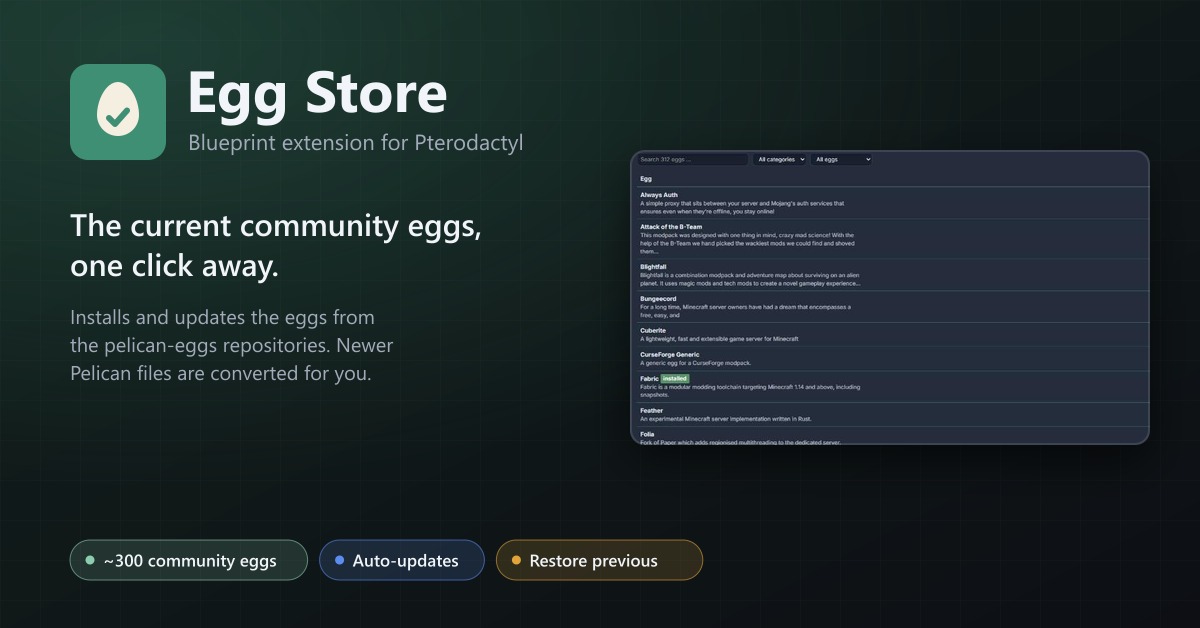
Install and update about 300 community eggs from the pelican-eggs repositories with one click. Pelican eggs are converted automatically.
SFTP Address
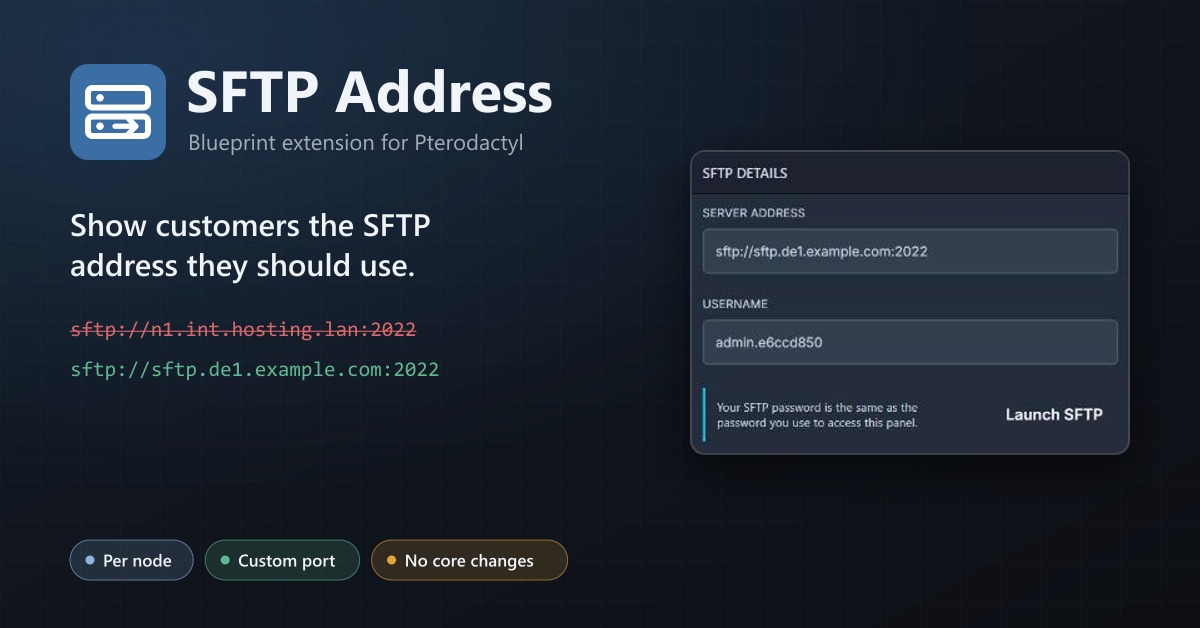
Show your users a public SFTP address per node, like sftp.de1.example.com, instead of the node's internal address.