 texus Addons und Themes
Egg Store
Install and update about 300 community eggs from the pelican-eggs repositories with one click. Pelican eggs are converted automatically.
9,99 €
- Version 0.2.3, updated 10 October 2026
- For Pterodactyl Panel 1.15.x with Blueprint
- No core files modified, installs and removes with Blueprint
- One licence for one panel, new versions included
Screenshots
Features
The community egg collection moved to the pelican-eggs organisation on GitHub. New eggs and fixes are published there first, and often only in Pelican's newer egg format, which Pterodactyl can't import. Egg Store brings them into your panel with one click and keeps them up to date.
Store
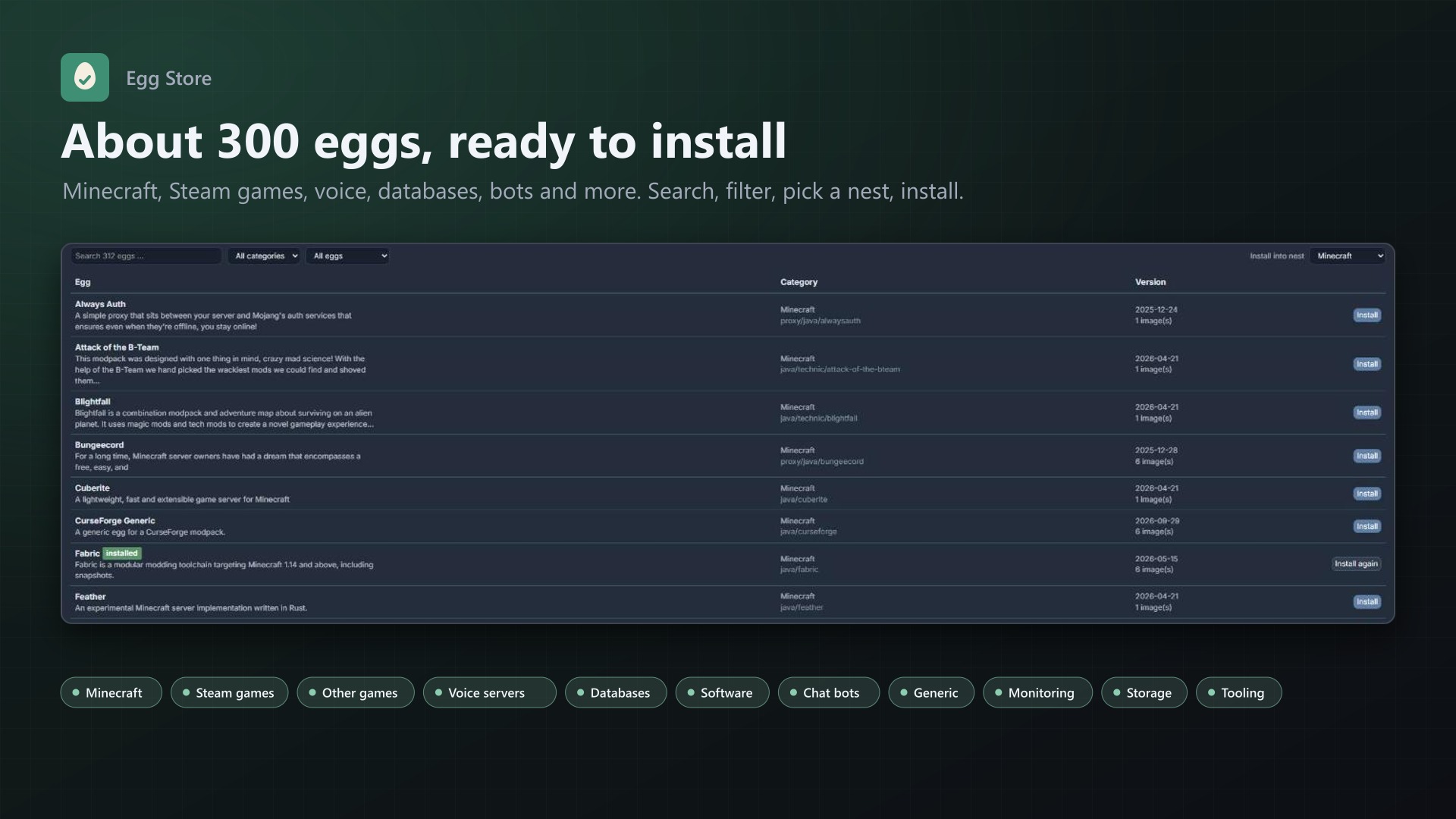
- About 300 eggs from 11 repositories:
- Minecraft
- Steam games
- Other games
- Voice servers
- Databases
- Software
- Chat bots
- Generic
- Monitoring
- Storage
- Tooling
- Search, category filter, state filter (not installed, installed, update available)
- Install into any nest with one click
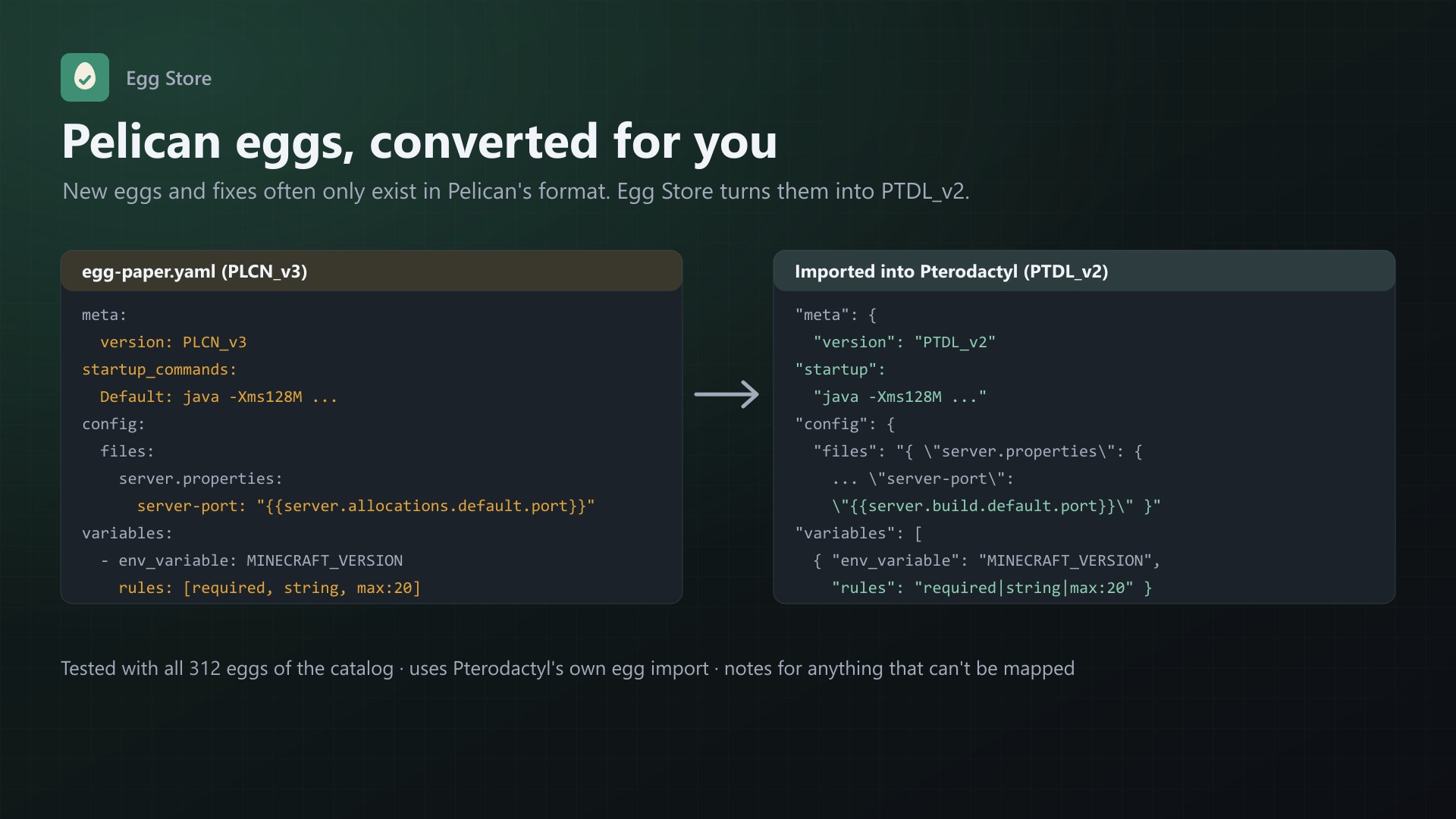
- Pelican eggs (PLCN_v3, YAML or JSON) are converted to PTDL_v2 automatically: startup command, config files, placeholders, variable rules. Anything that can't be mapped is shown as a note.
- Tested with all 312 eggs of the catalog
Updates
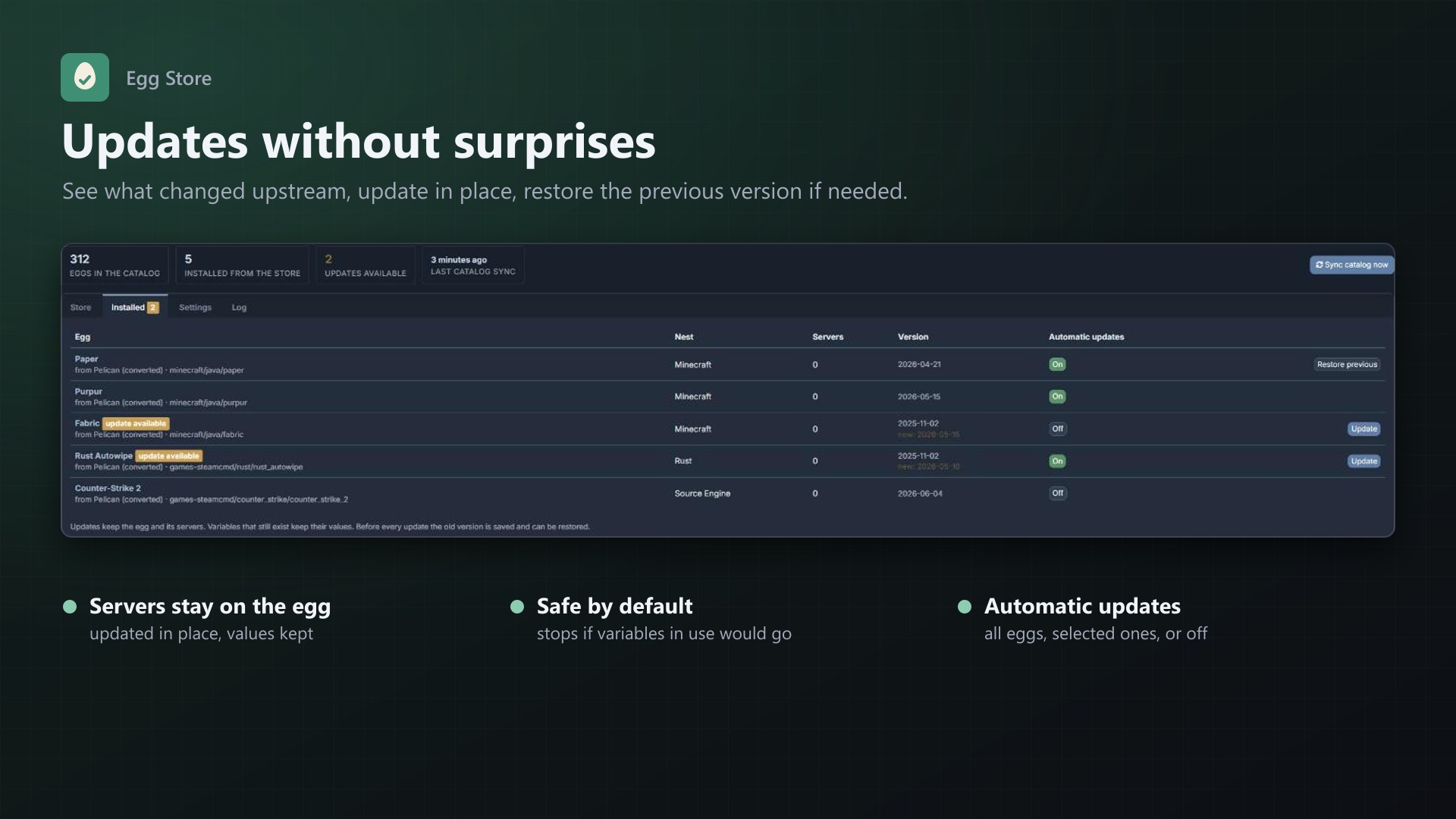
- Updates show up as soon as an egg changes upstream
- Updated in place: the egg keeps its ID, servers stay on it, variables keep their values
- Safe by default: if the new version would remove variables that servers use, the update stops and tells you which ones. "Update anyway" applies it after you confirm.
- Restore previous: the old version is saved before every update
- Automatic updates for all eggs, selected eggs, or off
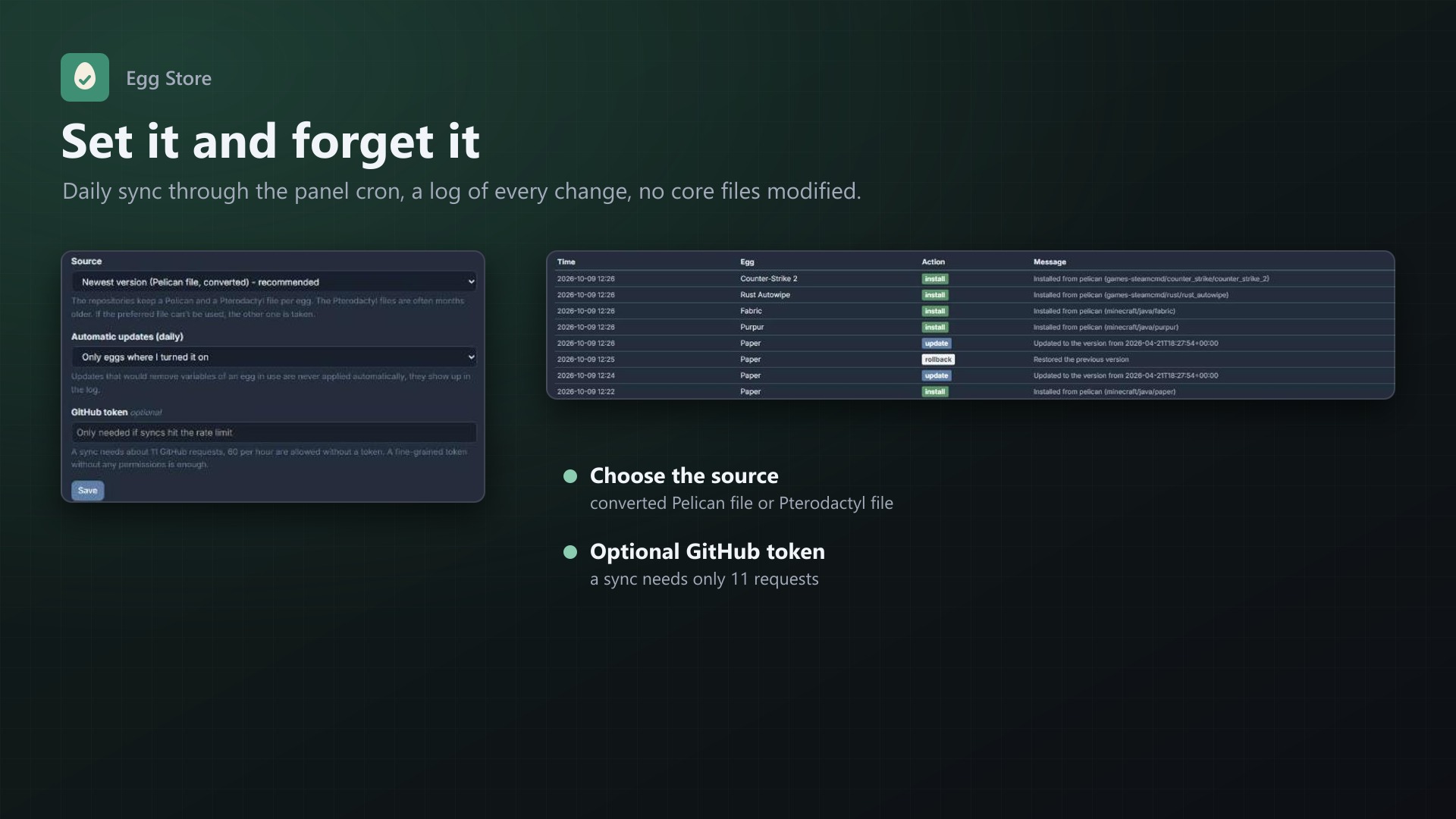
- Daily sync through the panel cron job, plus a "Sync catalog now" button
- Log of every install, update and restore
Good to know
- Uses Pterodactyl's own egg import, the same code as "Import Egg" in the admin area
- Eggs you imported by hand are never touched
- No core files are modified
- A sync needs only 11 GitHub requests, no token needed. An optional token can be added.
Documentation
A Blueprint extension that installs and updates the community eggs from the pelican-eggs repositories directly from the Pterodactyl admin area.
The community egg collection moved from parkervcp/eggs to the pelican-eggs organisation. New eggs and fixes are now published there first, often only in Pelican's newer egg format, which Pterodactyl can't import. Egg Store converts those files automatically, so you get the current versions with one click and keep them up to date.
Features
- Catalog of about 300 eggs from 11 repositories, grouped by category:
- Minecraft
- Steam games
- Other games
- Voice servers
- Databases
- Software
- Chat bots
- Generic (Node.js, Python, Java, ...)
- Monitoring
- Storage
- Tooling
- Search and filters by category and by state (not installed, installed, update available)
- Install with one click into any nest
- Automatic conversion of Pelican eggs (PLCN_v3, YAML or JSON) to Pterodactyl's PTDL_v2 format. If a Pterodactyl version of the file exists, it can be used instead (see settings).
- Updates show up as soon as the egg changes upstream
- Update with one click. The egg keeps its ID, so all servers stay on it, and variables that still exist keep their values.
- Safe updates: if the new version drops variables and servers use the egg, the update stops and tells you which variables would be removed. "Update anyway" applies it after you confirm.
- Restore previous: before every update the old version is saved and can be restored. A restored egg is not updated automatically again until you update it by hand.
- Automatic updates for all eggs, only for eggs you selected, or off
- Daily catalog sync through the panel's cron job, plus a "Sync catalog now" button
- Log of every install, update and restore
- Uses Pterodactyl's own egg import, the same code as "Import Egg" in the admin area. No core files are modified.
Requirements
- Pterodactyl Panel 1.15.x (tested on 1.15.1)
- Blueprint beta-2026-08 or newer
- The panel's cron job, as required by Pterodactyl anyway
- Outgoing HTTPS from the panel server to
api.github.comandraw.githubusercontent.com
Installation
Upload eggstore.blueprint to your panel directory (normally /var/www/pterodactyl) and run:
cd /var/www/pterodactyl
blueprint -install eggstore
Open Admin > Extensions > Egg Store and click Sync catalog now. The first sync downloads every egg once and takes about a minute. After that, only changed eggs are downloaded.
Using it
Store tab: choose the nest at the top ("Install into nest"), then click Install next to an egg. The nest you picked is remembered. Eggs that were already installed can be installed again, which creates a second copy (for example in another nest).
Installed tab: lists every egg installed from the store with its nest, the number of servers using it, the installed version and whether an update is available. From here you can:
- Update an egg
- Restore the previous version
- Switch automatic updates on or off per egg
Eggs you imported by hand or that came with Pterodactyl are not touched.
Settings
| Setting | Default | |
|---|---|---|
| Preferred source | Pelican file (converted) | The Pelican file is usually newer. "Pterodactyl file" uses the PTDL file of the repository where one exists. Either way, the other file is the fallback. |
| Automatic updates | Only selected eggs | Off, Only selected eggs (switch per egg on the Installed tab) or All eggs from the store |
| GitHub token | none | Optional. Without a token GitHub allows 60 requests per hour, a sync needs 11. A token (no scopes needed) raises the limit if you sync very often or share the IP. |
How it works
- Sync: one GitHub API request per repository lists every file with its git hash. An egg is only downloaded again when its hash changed. The cron job runs
eggstore:synconce a day; it also applies automatic updates. - Conversion from Pelican's format:
- The first startup command is used. Pterodactyl only has one, so any others are listed in the egg's description.
- The config blocks (files, startup, logs) are stored as JSON, the way Pterodactyl expects.
- Renamed placeholders are mapped back:
{{server.allocations.default.port}}becomes{{server.build.default.port}}, and{{server.environment.X}}becomes{{server.build.env.X}}. - Variable rules given as a list are joined with
|. Variables without rules getnullable|string. - Anything that can't be mapped is shown as a note next to the egg in the store.
- Updates go through Pterodactyl's own "update egg from file" function. It updates the egg in place and matches variables by their environment name. Variables that are no longer in the new version are deleted together with the values servers have set for them. That is why Egg Store checks for this first.
- Automatic updates never remove variables from eggs that servers use. Those updates are skipped and logged, and you can apply them by hand.
FAQ
Do existing servers change when an egg is updated? The egg's startup command, install script, Docker images and config change, the same as when you import an update by hand. Servers keep their own startup command and variable values. A server only uses a new Docker image when you select it, or when its old image was removed from the egg.
Will it overwrite my modified eggs? Only eggs installed through the store are updated, and only when you click Update or turn on automatic updates for them. If you change an egg yourself, switch its automatic updates off.
An egg shows a note. Can I still use it? Yes. Notes are hints from the conversion, for example "The egg has 2 startup commands". Eggs that can't be converted at all are marked as not compatible and can't be installed.
Does it need Pelican? No. It only reads the public egg files on GitHub.
Uninstall
blueprint -remove eggstoreThis removes the extension. Installed eggs stay in your panel as normal eggs. Blueprint doesn't drop database tables on removal, so the catalog and the list of installed eggs are still there if you install it again. To remove them completely, drop the tables eggstore_catalog, eggstore_installed and eggstore_log.
Support
Questions and bug reports through the support link on the product page. For a problem with a specific egg, please send the egg's name and the message shown in the admin area or the log.
Changelog
0.2.3 (2026-10-11)
- The update notice also works in the package from the licence site and the marketplaces; in the previous version it stayed hidden there.
0.2.2 (2026-10-11)
- Update notice: when a newer version is out, Admin > Extensions and the licence box on the admin page show it, with what is new. With the optional update helper (set up once as root), the update runs with one click after a backup of the panel files and the database.
0.2.1 (2026-10-10)
- The licence box on the admin page explains that one purchase covers one panel (one domain and server; subdomains count as separate panels)
0.2.0 (2026-10-10)
- Licence check: the extension now needs a licence key, free with the purchase on sourceXchange. Get it on texus-addons.de, or download the extension there with the key built in.
- Licence box on the admin page
- The PHP code of the extension is obfuscated
0.1.1 (2026-10-09)
- Temporary files used for installing, updating and restoring eggs are now removed afterwards
Licence and download
One purchase = one licence = one panel. The licence is bound to one panel domain and the server it runs on. Subdomains count separately. You can move the licence at any time in your account.
After buying on sourceXchange or BuiltByBit, sign in here with your email address (BuiltByBit: redeem your activation code). You download the extension with the licence key built in, and every new version from your account.
Questions before buying? Ask on our Discord support server or at support@texus-addons.de.
Related
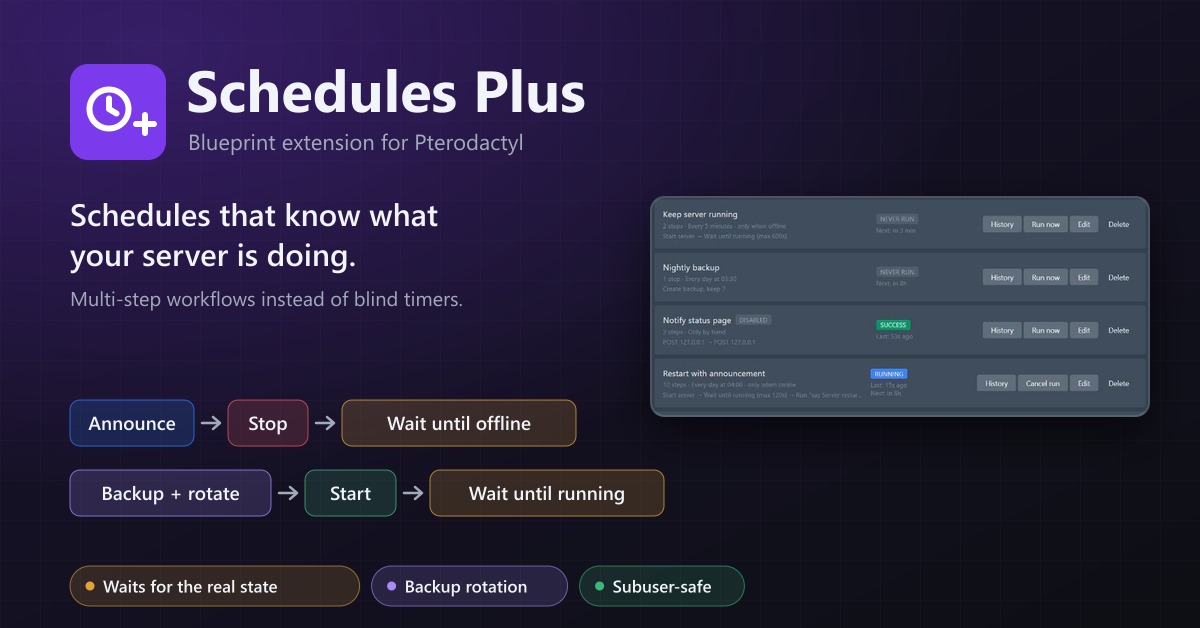
Schedules Plus
Multi-step server workflows that wait for the real server state: announce, stop, back up with rotation, start again.
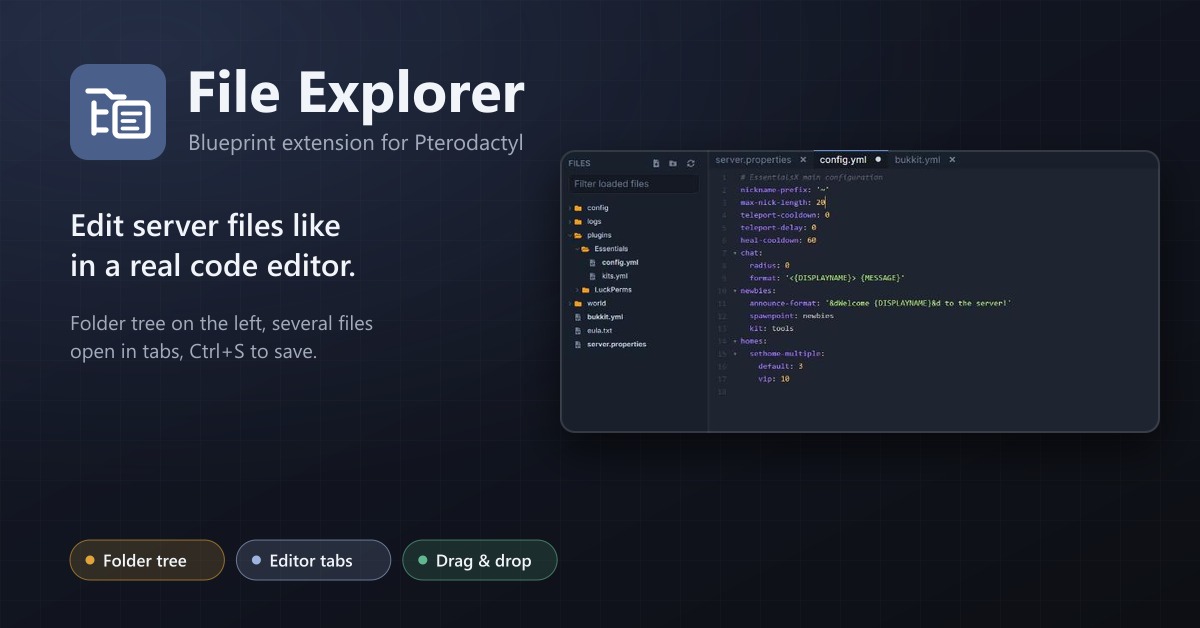
File Explorer
A file explorer with folder tree and editor tabs for every server: open several files at once, save with Ctrl+S, move by drag and drop.
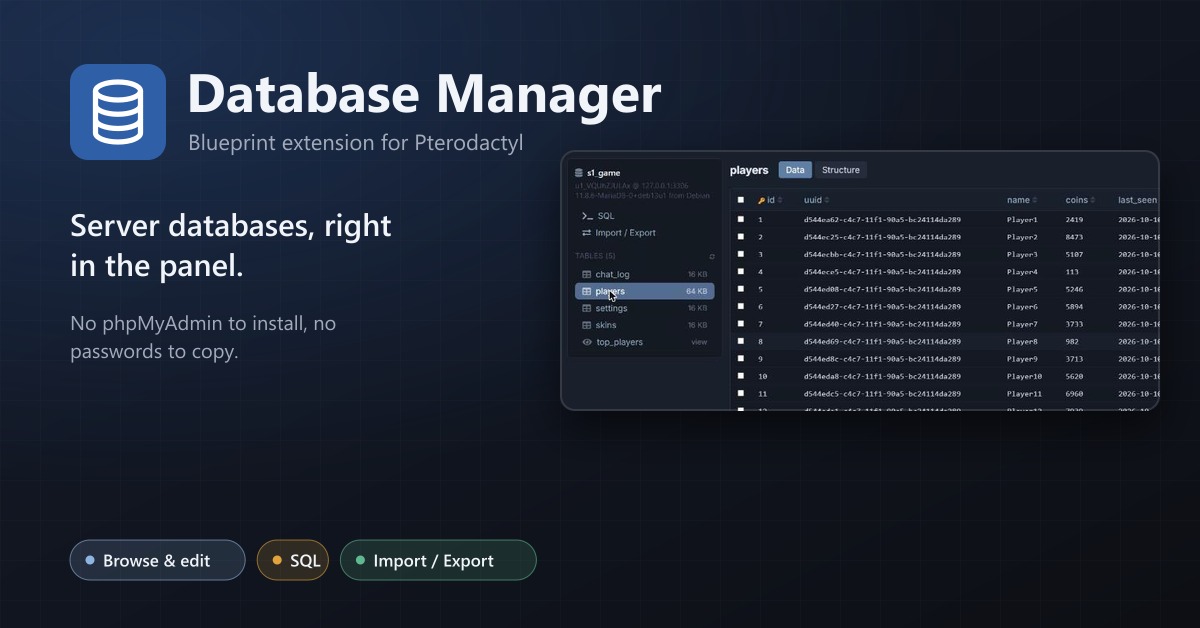
Database Manager
Browse, edit, query, import and export a server's databases right in the panel.