 texus Addons und Themes
Tiefsee Theme for Paymenter
A complete Paymenter theme with the location first: sonar with live ping, stock and waitlists, task-based client area, status page, help centre and a checkout that follows German law. German and English.
49,99 €
- For Paymenter 1.5.x (PHP 8.3), German and English
- No core files modified, built assets included, installs with one script
- One licence for one Paymenter domain, new versions included
Screenshots
Features
Most Paymenter themes change colours. Tiefsee changes how your shop works: visitors see your data centres on a sonar with the response time their own browser measures, pick the closest location, configure their plan with cards instead of drop-downs and order through a checkout that is ready for German and EU law. Customers find a client area that shows what needs their attention first.
Home page
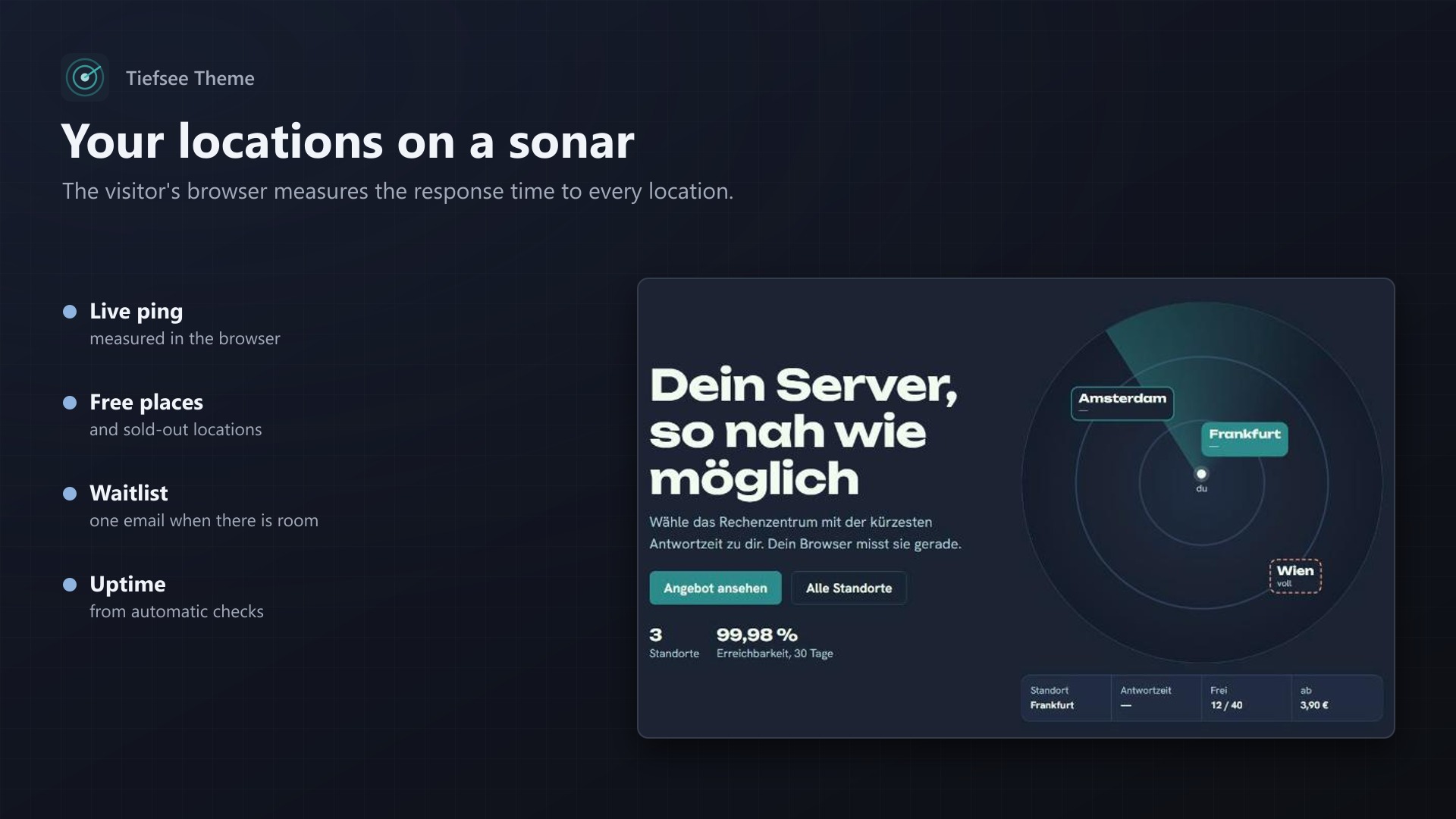
- Sonar with your locations: response time measured in the visitor's browser, free places, sold-out locations with a waitlist (one email when places are free again)
- Product groups as depth layers with "from" prices and the first plans
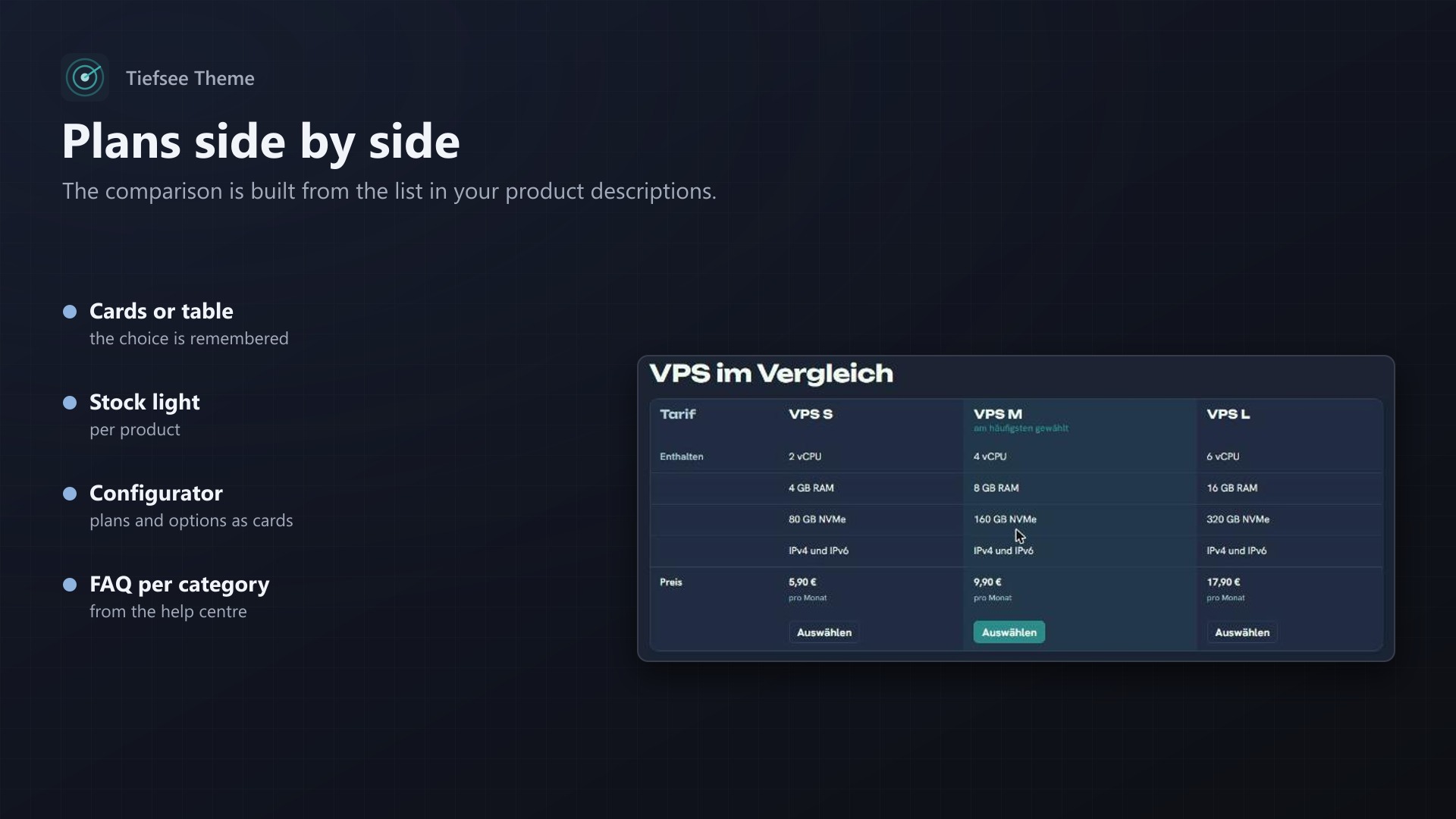
- Plan comparison for one category, the bullets come from your product descriptions
- Verified reviews with the average rating, three trust points, your own Markdown text
- Announcement bar in German and English
Shop and configurator
- Cards or comparison table, the choice is remembered
- Stock light per product ("only 3 left", "sold out")
- Plans and options as cards with prices, live total with VAT, what happens after the first term
- FAQ per category from the help centre
Checkout that follows German law
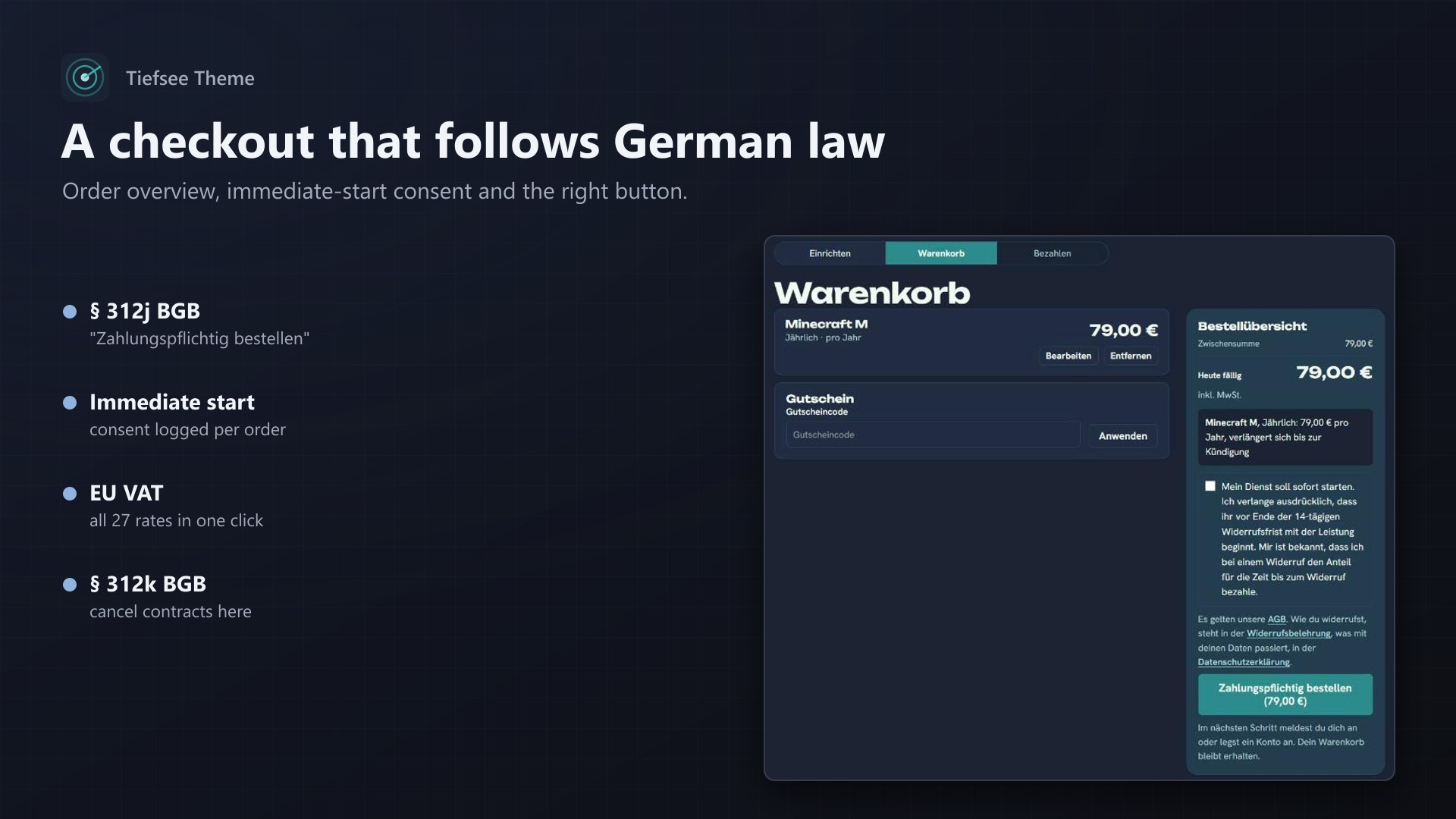
- Order overview right above the button "Zahlungspflichtig bestellen (total)" (§ 312j BGB)
- Consent to an immediate start with the correct wording (value compensation on withdrawal, § 356 (4), § 357a (2) BGB), required before ordering and logged per order
- Notice with links to terms, withdrawal policy and privacy policy
- One click: VAT rates for all 27 EU countries, VAT ID field on invoices
Client area
- Overview sorted by tasks: unpaid invoices, suspended or expiring services, ticket replies
- Services with state, "coming up" dates, review form for customers with an active service
Pages the companion extension adds
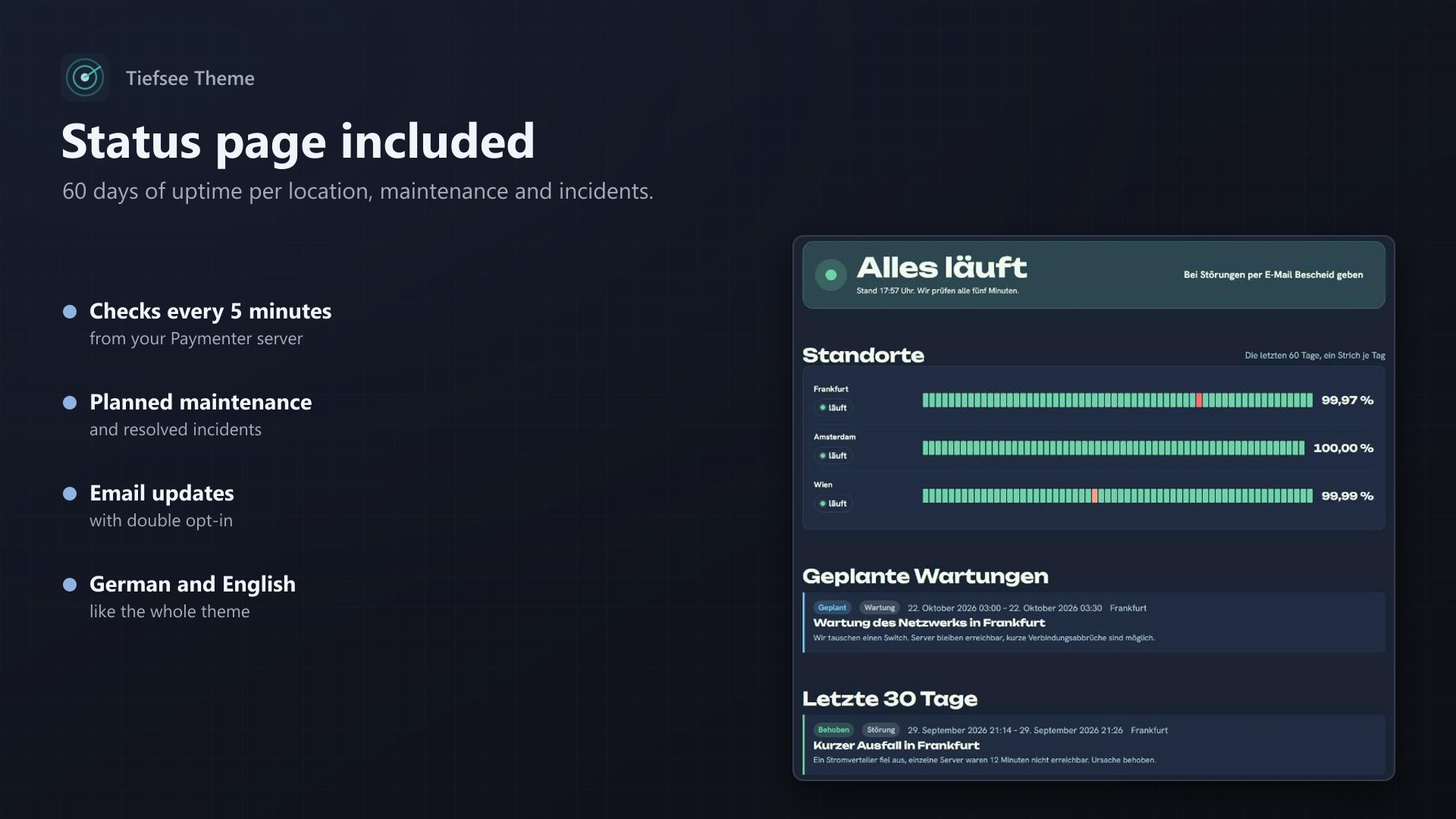
- Status page: state per location, 60-day uptime bars from automatic checks every five minutes, planned maintenance, incidents, email updates with double opt-in
- Help centre: articles in German and English, search, categories, "did this help?"
- Cancel contracts here (§ 312k BGB): in the footer and the client area, works without signing in, confirmation with time of receipt; guest requests are checked before they are applied
- Admin pages for locations, incidents, articles, reviews, cancellations, waitlist and the consent log, plus a setup checklist and sample content
Quality
- German and English throughout, language switch in the header; light, dark and "same as device"
- Accessible: skip link, visible focus, keyboard use, reduced motion respected
- Own consent notice without third parties, three equal buttons
- Fonts on your server, no Google requests
- Pre-built: no
npm run buildon your server; other extensions keep working in the Tiefsee colours
Documentation
A complete storefront and client area for Paymenter 1.5 with a calm deep-sea look and the location first: visitors see your data centres on a sonar with the response time their browser measures, and pick the closest one. Built for hosting companies in Germany and the EU, in German and English, with the legal duties of a German shop built in.
Deutsche Anleitung weiter unten.
What you get
- Home page: sonar with your locations (ping measured in the visitor's browser, free places, waitlist when full), product groups as depth layers with "from" prices, a plan comparison for one category, reviews, three trust points, your own text in Markdown.
- Products: cards or comparison table (the visitor's choice is remembered), stock light per product, feature bullets from the list in your product description, FAQ per category.
- Configurator: plans and options as cards instead of drop-downs, live total with VAT, what happens after the first term.
- Cart and checkout (German law): order overview right above the button, button "Zahlungspflichtig bestellen (total)" (§ 312j BGB), consent to an immediate start with the correct wording (§ 356 (4), § 357a (2) BGB) that is logged per order, links to terms, withdrawal policy and privacy policy, coupon field.
- Client area: overview sorted by tasks (unpaid invoices, suspended or expiring services, ticket replies), services with status, "coming up" dates, review form for customers with an active service.
- Status page (
/status): state per location, 60-day uptime bars from automatic checks every five minutes, planned maintenance, incidents, email updates with double opt-in. - Help centre (
/help): articles in German and English, search, categories, "did this help?", the same articles as FAQ on product pages. - Cancel contracts here (
/contracts/cancel, § 312k BGB): linked in the footer and the client area, works without signing in, confirmation with date and time of receipt by email. - Own consent notice: no third party, three equal buttons, optional content only after consent.
- German and English everywhere, with a language switch in the header. Light, dark and "same as device".
- Accessible: skip link, visible focus, keyboard use, labelled controls, reduced motion respected.
- Fonts on your server (Unbounded, Hanken Grotesk), no request to Google.
- Pre-built: no
npm run buildneeded.
Requirements
- Paymenter 1.5.x (tested with 1.5.9), PHP 8.3 with the
sodiumextension. - The included extension Texus Theme Companion (it is installed together with the theme).
- A licence key from texus-addons.de, one per Paymenter domain.
Installation
- Upload the zip to your server and unpack it.
- Run the install script:
- normal installation:
bash install.sh /var/www/paymenter - Docker (official image):
bash install.sh --docker paymenter(container name)
- normal installation:
- In Paymenter: Admin > Extensions, open Texus Theme Companion, enable it and enter your licence key.
- Admin > Settings > Theme: choose tiefsee and save.
- Admin > Theme > Theme setup: work through the checklist. "Create EU VAT rates" adds the standard rate of every EU country; "Add sample content" shows every part of the theme right away.
Without the script: copy themes/tiefsee to themes/, public/tiefsee to public/ and extensions/Others/Texustheme to extensions/Others/ of your Paymenter folder, then run php artisan app:extension:install other Texustheme.
Setting it up
Locations (Admin > Theme > Locations)
- Name in German and English, country code.
- Probe URL: checked every five minutes from your Paymenter server; any answer below HTTP 500 counts as reachable. Use for example the Wings port of a node (
https://node1.example.com:8080). The results make the uptime bars. - Ping URL for visitors: a tiny file served from that location (for example
https://fra.example.com/ping.txt). The visitor's browser loads it three times and shows the fastest time. - Free places / capacity: shown on the sonar. 0 means full; visitors can then join the waitlist and get one email when places are free again.
- Position on the sonar: left and top in percent.
- State: "Automatic" uses the checks and open incidents; you can also set it by hand.
Status page (Admin > Theme > Incidents and maintenance)
Create an entry per outage or maintenance with start and end. Planned entries appear under "Planned maintenance" until they start. Email subscribers sends the entry to everyone who confirmed status mails.
Help centre and FAQ (Admin > Theme > Help articles)
Articles have a title, category and text (Markdown) in German and English. Tick Show as FAQ to show the article as a question on product pages; choose a product category to show it only there.
Reviews (Admin > Theme > Reviews)
Only customers with an active service can send a review from their overview. New reviews wait for your approval (setting in the extension). You may reply publicly. Do not change the meaning of a review. Link a page that explains how you check reviews (theme setting "How we check reviews"); this is required by § 5b (3) UWG when you show reviews.
Cancellations (Admin > Theme > Cancellations)
Signed-in customers cancel their own service right away. Requests without signing in are recorded with the time of receipt and confirmed by email; you check who sent them and click Apply to cancel the matching service, or No contract found. Optionally a copy of every request goes to your team address (extension setting).
Consent log (Admin > Theme > Consent log)
Every consent to an immediate start with time, order, language and the exact text. Keep it as proof when a customer withdraws.
Theme settings (Admin > Settings > Theme)
Colours for light and dark mode, colour mode for new visitors, corners, motion, announcement bar (text in both languages, link), all texts of the home page in German and English, the category for the plan comparison (its slug), trust points, product page promises, links to legal notice, privacy policy, terms and withdrawal policy, footer texts, payment methods, support times. Empty text fields use the built-in texts.
Notes
- Legal texts: the theme links your legal pages but does not write them. Have terms, withdrawal policy and privacy policy checked by a lawyer.
- Terms checkbox: if you set Paymenter's "Terms of service" URL (Settings > General), Paymenter additionally shows its own terms checkbox. Under German law a clear notice is enough; the theme shows it in any case.
- VAT: turn on tax in Paymenter (Settings > Tax, inclusive) and create the rates with "Create EU VAT rates". Paymenter uses the country from the customer's profile. Reverse charge for businesses in other EU countries is not supported by Paymenter itself; the VAT ID field appears on invoices.
- Prices show "incl. VAT" or "plus VAT" according to your tax setting.
- Updates of Paymenter: the theme's assets contain Livewire. After a Paymenter update, install the matching theme release (we test every Paymenter release).
- Other extensions keep working: views the theme does not change come from Paymenter's default theme in the Tiefsee colours.
- The "Powered by Paymenter" credit stays in the footer.
Problems
| What you see | What to do |
|---|---|
Texts like texus::theme.nav.status | The extension Texus Theme Companion is not enabled. Enable it under Admin > Extensions. |
| Blank page after switching the theme | public/tiefsee is missing. Copy it again or run install.sh again. |
| "Unlicensed copy" in the footer | Enter the licence key in the extension. The key is bound to the domain in APP_URL. Admin > Theme > Theme setup shows the reason. |
| Uptime bars stay grey | The Paymenter scheduler does not run (* * * * * php artisan schedule:run), or the location has no probe URL. |
| Response time shows "—" | The location has no ping URL, or the URL does not answer from the visitor's network. |
| No email after a cancellation or subscription | Check Admin > Settings > Mail and send a test mail. |
| Status page or help page shows 404 | The extension is disabled. |
Tiefsee Theme für Paymenter (Deutsch)
Ein vollständiger Shop und Kundenbereich für Paymenter 1.5 im ruhigen Tiefsee-Stil mit dem Standort im Mittelpunkt. Besucher sehen deine Rechenzentren auf einem Sonar mit der Antwortzeit, die ihr Browser misst, und wählen das nächste. Gebaut für Hoster in Deutschland und der EU, auf Deutsch und Englisch, mit den Pflichten eines deutschen Shops.
Was du bekommst
- Startseite: Sonar mit deinen Standorten (Ping im Browser gemessen, freie Plätze, Warteliste wenn voll), Produktgruppen als Tiefenebenen mit „ab“-Preisen, Tarifvergleich für eine Kategorie, Bewertungen, drei Vertrauenspunkte, eigener Text in Markdown.
- Produkte: Karten oder Vergleichstabelle (die Wahl merkt sich der Browser), Lagerampel je Produkt, Leistungspunkte aus der Liste in deiner Produktbeschreibung, FAQ je Kategorie.
- Konfigurator: Tarife und Optionen als Karten statt Auswahllisten, Summe mit MwSt. live, Hinweis, was nach der ersten Laufzeit passiert.
- Warenkorb und Kasse nach deutschem Recht:
- Bestellübersicht direkt über dem Knopf, Knopf „Zahlungspflichtig bestellen (Betrag)“ (§ 312j BGB).
- Zustimmung zum sofortigen Start mit korrektem Text (§ 356 Abs. 4, § 357a Abs. 2 BGB), je Bestellung protokolliert.
- Links zu AGB, Widerrufsbelehrung und Datenschutzerklärung, Gutscheinfeld.
- Kundenbereich: Übersicht nach Aufgaben (offene Rechnungen, gesperrte oder auslaufende Dienste, Ticket-Antworten), Dienste mit Zustand, anstehende Termine, Bewertungsformular für Kunden mit aktivem Dienst.
- Statusseite (
/status): Zustand je Standort, Erreichbarkeit über 60 Tage aus automatischen Prüfungen alle fünf Minuten, geplante Wartungen, Störungen, E-Mail-Benachrichtigung mit Double-Opt-in. - Hilfe-Center (
/help): Artikel auf Deutsch und Englisch, Suche, Kategorien, „Hat dir das geholfen?“, dieselben Artikel als FAQ auf Produktseiten. - Verträge hier kündigen (
/contracts/cancel, § 312k BGB): im Footer und im Kundenbereich verlinkt, funktioniert ohne Anmeldung, Bestätigung mit Datum und Uhrzeit des Eingangs per E-Mail. - Eigener Cookie-Hinweis: ohne Fremdanbieter, drei gleichwertige Knöpfe, optionale Inhalte erst nach Zustimmung.
- Deutsch und Englisch überall, Sprachwahl im Kopf. Hell, dunkel und „wie das Gerät“.
- Barrierearm: Sprunglink, sichtbarer Fokus, Tastaturbedienung, beschriftete Bedienelemente, reduzierte Bewegung wird beachtet.
- Schriften auf deinem Server (Unbounded, Hanken Grotesk), keine Anfrage an Google.
- Fertig gebaut: kein
npm run buildnötig.
Voraussetzungen
- Paymenter 1.5.x (getestet mit 1.5.9), PHP 8.3 mit der Erweiterung
sodium. - Die mitgelieferte Erweiterung Texus Theme Companion (wird mit dem Theme installiert).
- Ein Lizenzschlüssel von texus-addons.de, einer je Paymenter-Domain.
Installation
- Zip auf den Server laden und entpacken.
- Installationsskript ausführen:
- normale Installation:
bash install.sh /var/www/paymenter - Docker (offizielles Image):
bash install.sh --docker paymenter(Name des Containers)
- normale Installation:
- In Paymenter Admin > Extensions öffnen, Texus Theme Companion aktivieren und den Lizenzschlüssel eintragen.
- Unter Admin > Settings > Theme tiefsee wählen und speichern.
- Unter Admin > Theme > Theme setup die Checkliste abarbeiten. „Create EU VAT rates“ legt den Normalsatz jedes EU-Landes an. „Add sample content“ zeigt sofort jeden Teil des Themes.
Ohne Skript kopierst du die Ordner in deinen Paymenter-Ordner und führst danach php artisan app:extension:install other Texustheme aus:
themes/tiefseenachthemes/public/tiefseenachpublic/extensions/Others/Texusthemenachextensions/Others/
Einrichten
Standorte (Admin > Theme > Locations)
- Name auf Deutsch und Englisch, Ländercode.
- Probe URL: wird alle fünf Minuten von deinem Paymenter-Server geprüft. Jede Antwort unter HTTP 500 gilt als erreichbar, zum Beispiel der Wings-Port eines Nodes (
https://node1.example.com:8080). Daraus entstehen die Erreichbarkeitsbalken. - Ping URL for visitors: eine kleine Datei, die direkt vom Standort ausgeliefert wird (zum Beispiel
https://fra.example.com/ping.txt). Der Browser des Besuchers lädt sie dreimal und zeigt die schnellste Zeit. - Freie Plätze / Kapazität: werden auf dem Sonar gezeigt. 0 bedeutet voll; Besucher können sich dann auf die Warteliste setzen und bekommen eine E-Mail, sobald wieder Platz ist.
- Position auf dem Sonar: links und oben in Prozent.
- Zustand: „Automatic“ nutzt die Prüfungen und offenen Störungen, du kannst ihn auch von Hand setzen.
Statusseite (Admin > Theme > Incidents and maintenance)
Lege je Störung oder Wartung einen Eintrag mit Beginn und Ende an. Geplante Einträge stehen unter „Geplante Wartungen“, bis sie beginnen. Email subscribers schickt den Eintrag an alle, die Statusmeldungen bestätigt haben.
Hilfe-Center und FAQ (Admin > Theme > Help articles)
Artikel haben Titel, Kategorie und Text (Markdown) auf Deutsch und Englisch. Mit Show as FAQ erscheint der Artikel als Frage auf Produktseiten; mit einer Produktkategorie nur dort.
Bewertungen (Admin > Theme > Reviews)
Nur Kunden mit aktivem Dienst können in ihrer Übersicht bewerten. Neue Bewertungen warten auf deine Freigabe (Einstellung in der Erweiterung). Du kannst öffentlich antworten. Ändere den Sinn einer Bewertung nicht. Verlinke eine Seite, die erklärt, wie du Bewertungen prüfst (Theme-Einstellung „How we check reviews“). Das verlangt § 5b Abs. 3 UWG, wenn du Bewertungen zeigst.
Kündigungen (Admin > Theme > Cancellations)
Angemeldete Kunden kündigen ihren eigenen Dienst sofort. Kündigungen ohne Anmeldung werden mit Eingangszeit gespeichert und per E-Mail bestätigt. Du prüfst, wer sie geschickt hat. Mit Apply kündigst du den passenden Dienst, mit No contract found markierst du die Anfrage als nicht zuzuordnen. Auf Wunsch geht eine Kopie jeder Kündigung an eine Team-Adresse (Einstellung in der Erweiterung).
Zustimmungsprotokoll (Admin > Theme > Consent log)
Jede Zustimmung zum sofortigen Start mit Zeit, Bestellung, Sprache und genauem Text. Bewahre es als Nachweis auf, wenn ein Kunde widerruft.
Theme-Einstellungen (Admin > Settings > Theme)
Dort stellst du ein:
- Farben für hell und dunkel, Farbmodus für neue Besucher, Ecken, Bewegung
- Hinweisleiste mit Text in beiden Sprachen und Link
- alle Texte der Startseite auf Deutsch und Englisch, Kategorie für den Tarifvergleich (ihr Slug), Vertrauenspunkte, Versprechen auf der Produktseite
- Links zu Impressum, Datenschutz, AGB und Widerrufsbelehrung
- Footer-Texte, Zahlungsarten, Support-Zeiten
Leere Textfelder nutzen die eingebauten Texte.
Hinweise
- Rechtstexte: Das Theme verlinkt deine Rechtsseiten, schreibt sie aber nicht. Lass AGB, Widerrufsbelehrung und Datenschutzerklärung anwaltlich prüfen.
- AGB-Haken: Wenn du in Paymenter eine „Terms of service“-URL einträgst (Settings > General), zeigt Paymenter zusätzlich seinen eigenen AGB-Haken. Nach deutschem Recht genügt ein klarer Hinweis, den das Theme immer zeigt.
- MwSt.: Schalte die Steuer in Paymenter ein (Settings > Tax, inklusive) und lege die Sätze mit „Create EU VAT rates“ an. Paymenter nutzt das Land aus dem Kundenprofil. Reverse Charge für Firmen in anderen EU-Ländern unterstützt Paymenter selbst nicht; das Feld USt-IdNr. steht auf den Rechnungen.
- Preise zeigen „inkl. MwSt.“ oder „zzgl. MwSt.“ passend zu deiner Steuereinstellung.
- Paymenter-Updates: Die Assets des Themes enthalten Livewire. Installiere nach einem Paymenter-Update die passende Theme-Version (wir testen jede Paymenter-Version).
- Andere Erweiterungen funktionieren weiter: Ansichten, die das Theme nicht ändert, kommen aus Paymenters Standard-Theme in den Tiefsee-Farben.
- Der Hinweis „Powered by Paymenter“ bleibt im Footer.
Probleme
| Was du siehst | Was zu tun ist |
|---|---|
Texte wie texus::theme.nav.status | Die Erweiterung Texus Theme Companion ist nicht aktiv. Unter Admin > Extensions aktivieren. |
| Weiße Seite nach dem Theme-Wechsel | public/tiefsee fehlt. Erneut kopieren oder install.sh noch einmal ausführen. |
| „Nicht lizenzierte Kopie“ im Footer | Lizenzschlüssel in der Erweiterung eintragen. Der Schlüssel gilt für die Domain aus APP_URL. Admin > Theme > Theme setup zeigt den Grund. |
| Erreichbarkeitsbalken bleiben grau | Der Paymenter-Scheduler läuft nicht (* * * * * php artisan schedule:run), oder der Standort hat keine Probe URL. |
| Antwortzeit zeigt „—“ | Der Standort hat keine Ping URL, oder sie antwortet aus dem Netz des Besuchers nicht. |
| Keine E-Mail nach Kündigung oder Anmeldung | Admin > Settings > Mail prüfen und eine Testmail senden. |
| Status- oder Hilfeseite zeigt 404 | Die Erweiterung ist deaktiviert. |
Lizenz
Ein Kauf = eine Lizenz = eine Paymenter-Domain. Nach dem Kauf meldest du dich auf texus-addons.de mit deiner E-Mail-Adresse an; dein Schlüssel wird automatisch erstellt, und der Download dort enthält ihn bereits. Die Schriften stehen unter der SIL Open Font License (siehe themes/tiefsee/fonts).
Support: Discord oder support@texus-addons.de
Changelog
1.0.0
- First release: complete theme for Paymenter 1.5 (home, products, configurator, cart and checkout following German law, client area, sign-in, error pages) with the companion extension Texus Theme Companion (status page, help centre, "cancel contracts here", waitlists, reviews, consent log, EU VAT rates, German and English texts).
Licence and download
One purchase = one licence = one Paymenter domain. The licence is bound to one Paymenter domain (APP_URL) and the server it runs on. Subdomains count separately. You can move the licence at any time in your account.
After buying, sign in here with your email address. You download the extension with the licence key built in, and every new version from your account.
Questions before buying? Ask on our Discord support server or at support@texus-addons.de.
Related
Spieleabend Theme for Paymenter
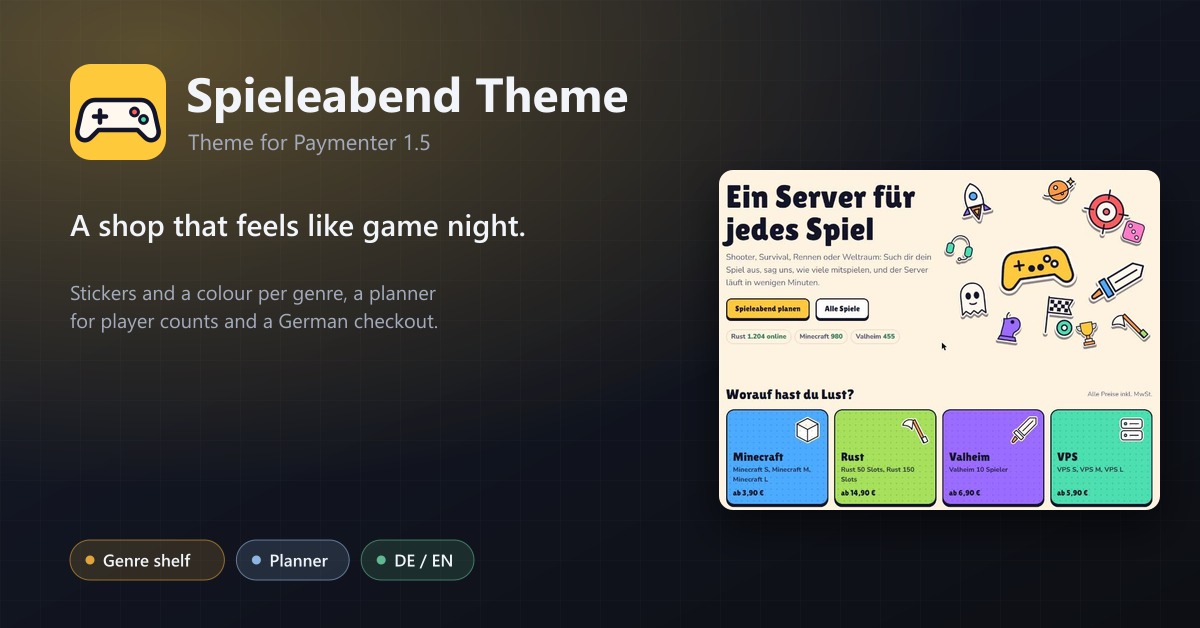
A playful Paymenter theme for game hosts: stickers and a colour per genre, a game-night planner, live ping and waitlists, status page, help centre and a checkout that follows German law. German and English.
Panel Designer
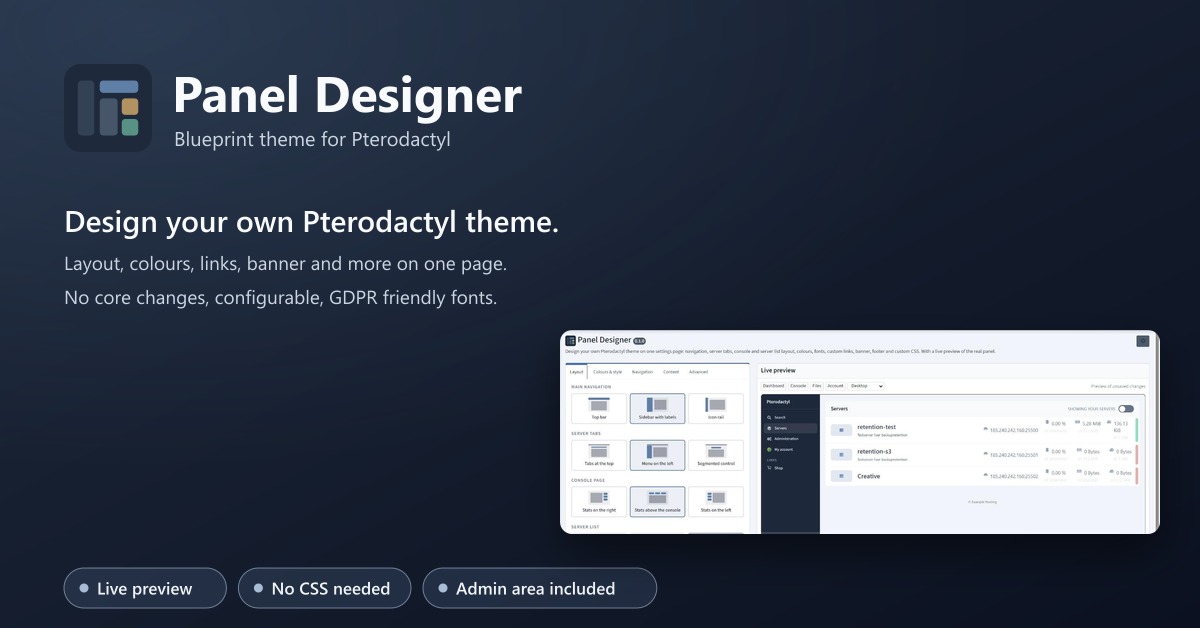
Design your own Pterodactyl theme on one settings page: layout, colours, fonts, links, banner, footer. With a live preview.
Business Theme
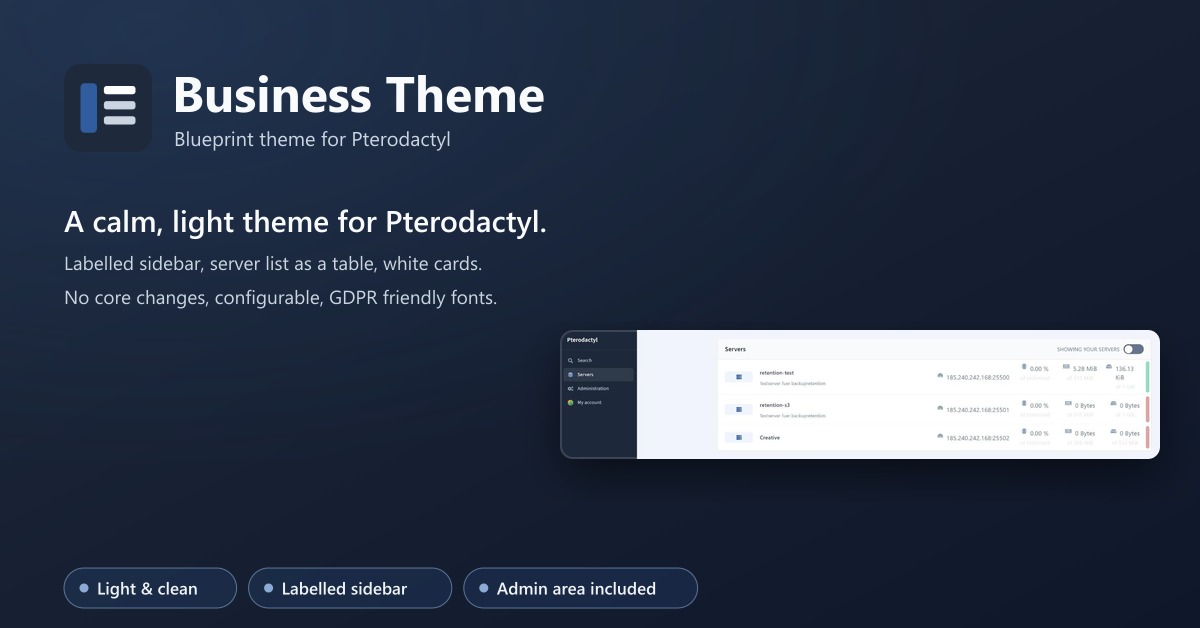
A calm, light theme for Pterodactyl: labelled sidebar, server list as a table, matching admin area. No core changes.