 texus Addons und Themes
Panel Designer
Design your own Pterodactyl theme on one settings page: layout, colours, fonts, links, banner, footer. With a live preview.
14,99 €
- Version 0.3.0, updated 14 October 2026
- For Pterodactyl Panel 1.15.x with Blueprint
- No core files modified, installs and removes with Blueprint
- One licence for one panel, new versions included
Screenshots
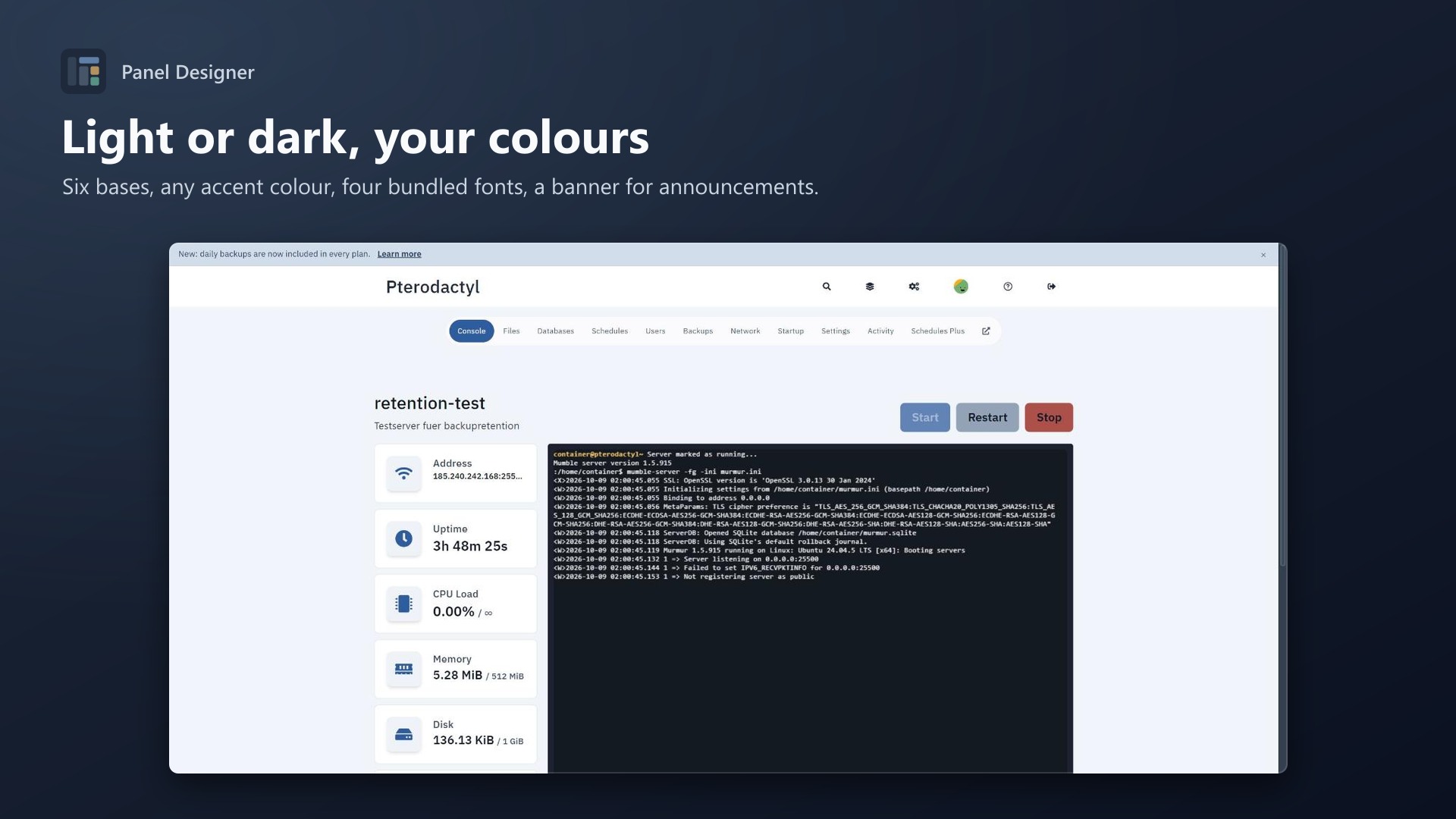
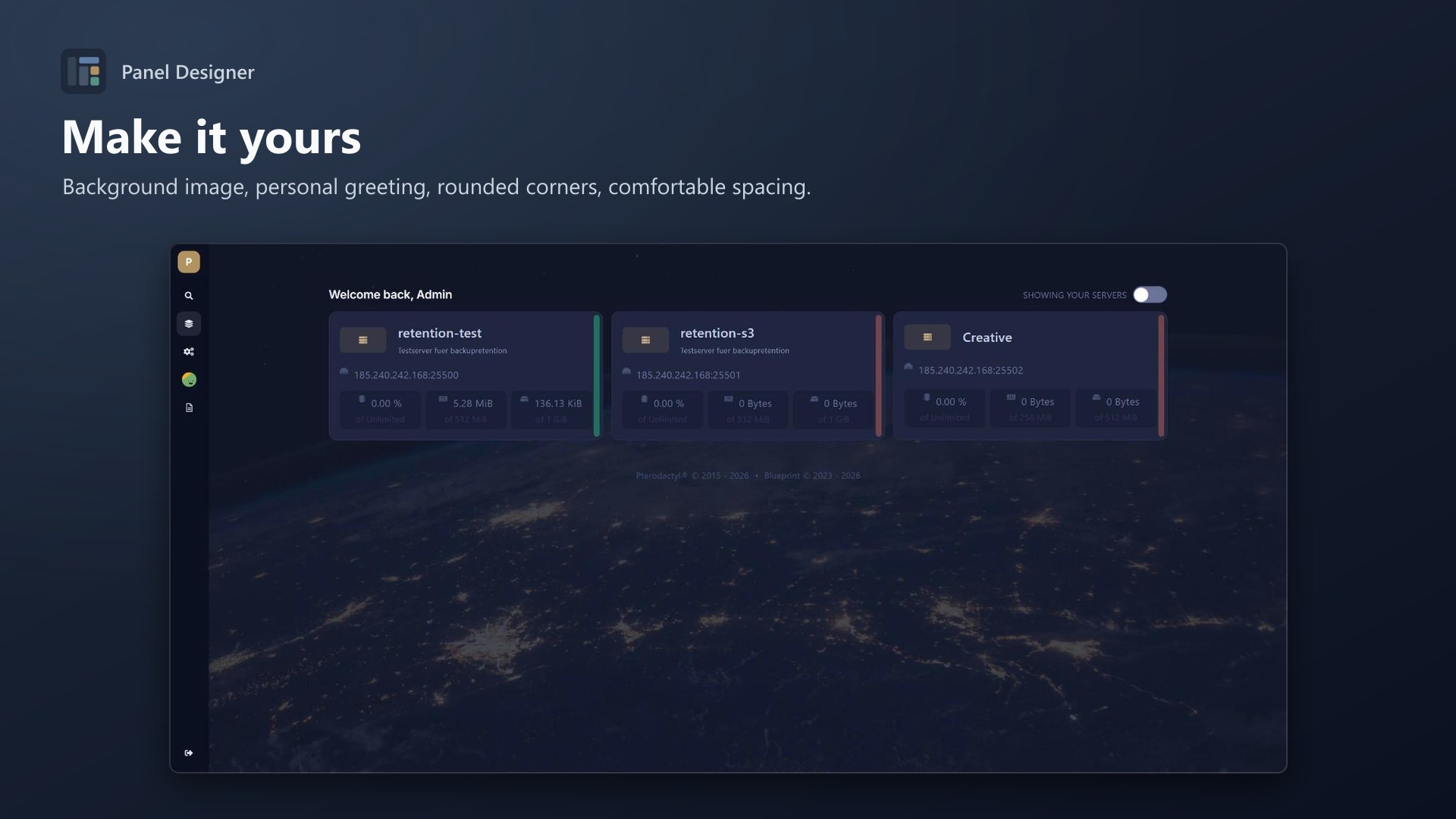
Features
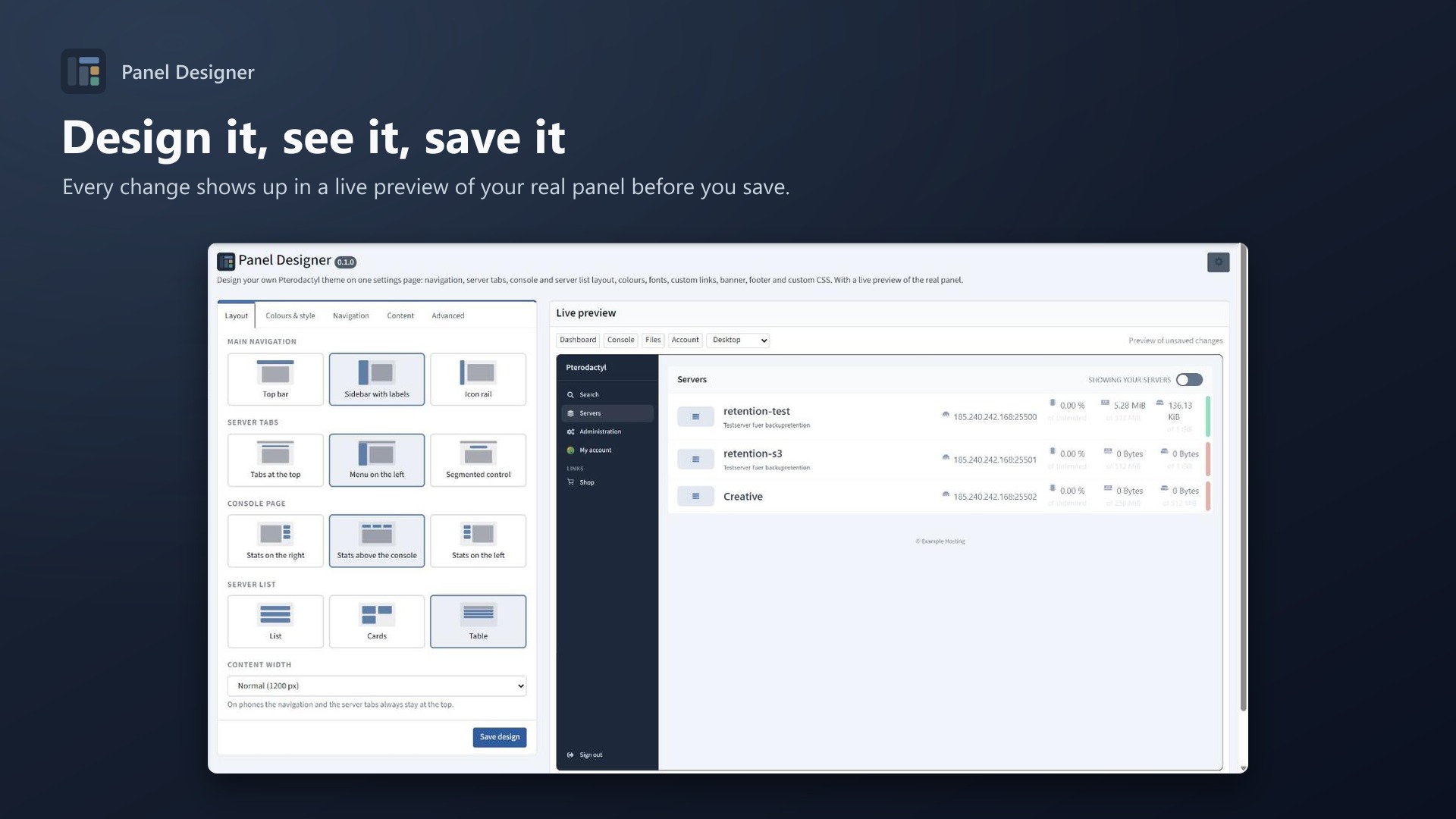
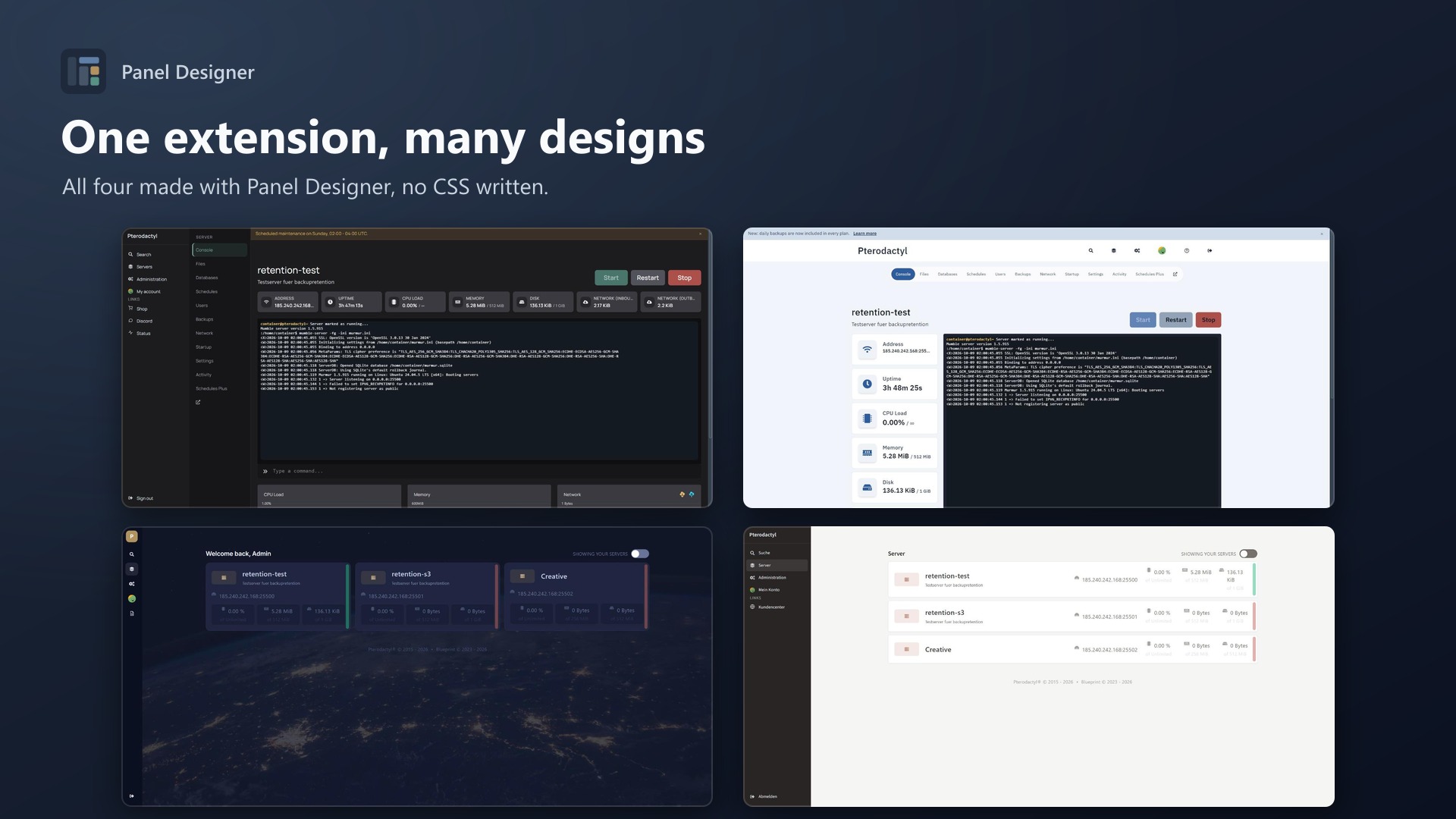
Build your own theme instead of buying one that almost fits. Panel Designer gives you a settings page with a live preview of your real panel. Every change shows up before you save. No CSS knowledge needed, no panel rebuild, no core changes.
Layout
- Main navigation: top bar, sidebar with labels or icon rail
- Server tabs: at the top, as a menu on the left or as a segmented control
- Console page: stats on the right, above the console or on the left
- Server list: list, cards or table
- Content width: 1100 px up to full width
All combinations work together, and phones keep the familiar top navigation.
Colours & style
- Pterodactyl original, graphite, slate, midnight, light grey or warm light as base
- Any accent and navigation colour, lighter and darker steps are calculated
- Muted status colours (no bright red and green)
- Background image with dimming
- Corners, text size, spacing
- 4 bundled fonts (Inter, Source Sans 3, Manrope, IBM Plex Sans), nothing is loaded from Google
Navigation & content
- Your logo, labels in English or German
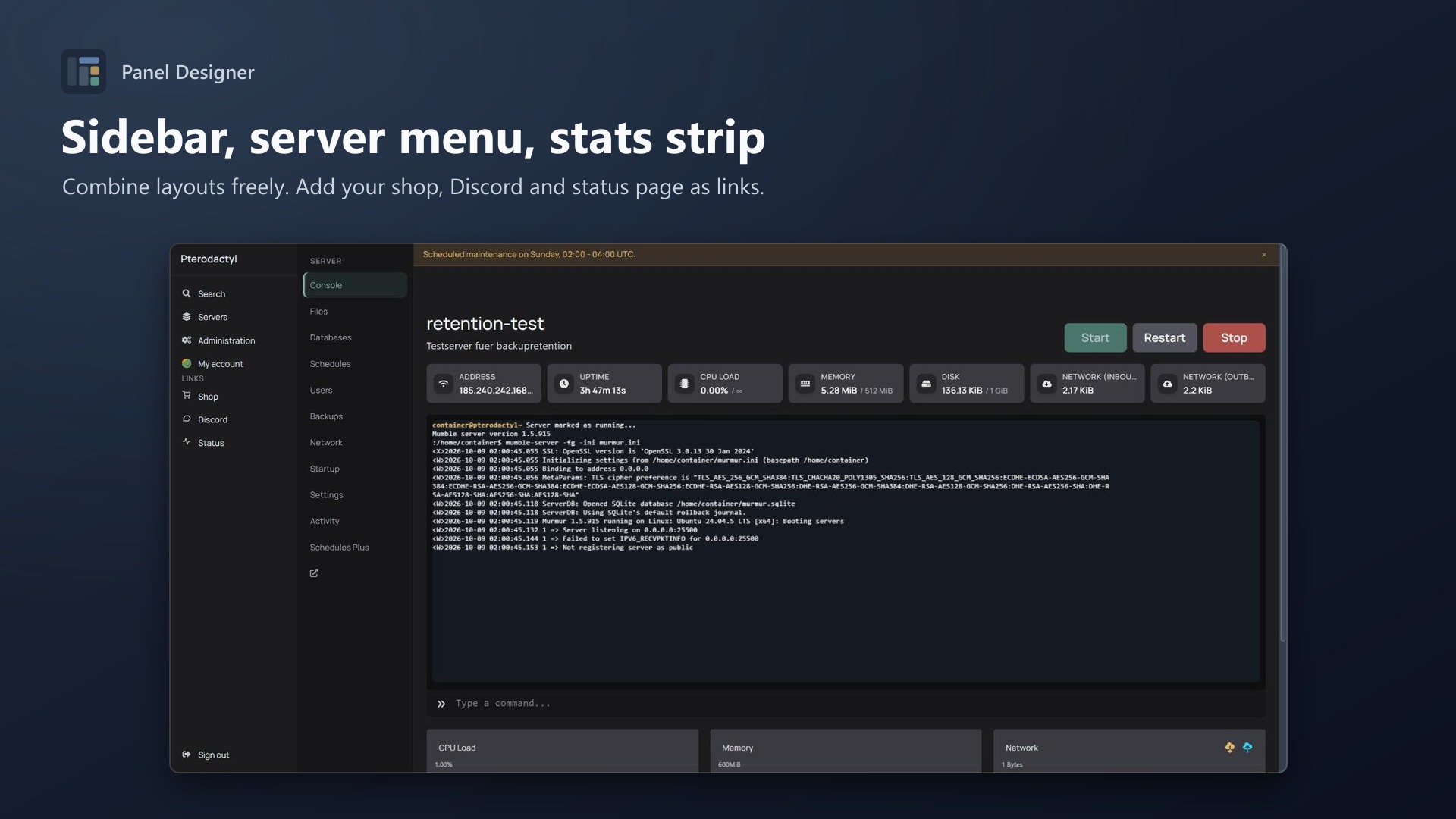
- Up to 8 own links with icons: shop, Discord, status page, knowledge base …
- Hide the search, the admin link or server tabs you don't offer
- Banner for announcements and maintenance, users can close it
- Personal greeting ("Welcome back, %firstname%"), footer text, favicon
Advanced
- Custom CSS on top
- The admin area follows your colours (optional)
- Export / import designs as JSON, reset to defaults
Documentation
Design your own Pterodactyl theme on one settings page, with a live preview of your real panel. It is a Blueprint extension. No CSS knowledge needed, no rebuild, no core changes.
What you can change
Layout
| Options | |
|---|---|
| Main navigation | Top bar, sidebar with labels, icon rail |
| Server tabs | Tabs at the top, menu on the left, segmented control |
| Console page | Stats on the right, above the console, on the left |
| Server list | List, cards, table |
| Content width | 1100 px, 1200 px, 1440 px, full width |
All combinations work together. With a sidebar and the server menu on the left, both are placed next to each other. On phones the navigation and the server tabs stay at the top.
Colours & style
- Base:
- Pterodactyl original
- Dark: graphite, slate, midnight
- Light: light grey, warm light
- Accent colour: any colour. Lighter and darker steps are calculated.
- Navigation colour: the text switches between light and dark automatically.
- Muted status colours: no bright red or green.
- Background image with adjustable dimming.
- Corners 0 to 20 px, text size 12 to 17 px, spacing compact, normal or comfortable.
- Fonts: Inter, Source Sans 3, Manrope, IBM Plex Sans or the Pterodactyl default. All fonts are bundled, nothing is loaded from Google (GDPR friendly).
Navigation
- Your logo instead of the panel name.
- Labels in English or German.
- Hide the search button or the admin link.
- Hide server tabs you don't offer, for example Databases or Network. This only hides the tab, permissions stay as they are.
- Extension tabs under "More": tabs that extensions add to a server (Vault, Proxy, Diagnose, Performance, ...) are grouped under one menu, either always or only when the tab bar gets too narrow. The panel's own tabs (Console, Files, Databases, Schedules, Users, Backups, Network, Startup, Settings, Activity) stay in the bar. The menu label can be changed. The menu opens the real tab, so permissions and page changes work as usual.
- Your own links in the main navigation:
- up to 8, with an icon (shop, chat, help, status, docs, globe, mail, heart, link)
- opened in a new tab if you want
- examples: shop, Discord, status page, knowledge base
Content
- Dashboard heading with
%firstname%/%username%, for example "Welcome back, %firstname%". - Banner on every page:
- styles: info, success, warning, important
- optional link
- users can close it; it comes back when you change the text
- Footer text, optionally replacing the Pterodactyl / Blueprint line.
- Favicon.
Advanced
- Custom CSS for everything else.
- Admin area in the same colours (can be turned off).
- Export / import a design as JSON, for example to copy it to a second panel.
- Reset to the defaults.
Live preview
The settings page shows your real panel next to the form:
- You can switch between dashboard, console, files and account.
- You can choose desktop, large screen or phone width.
- Every change is applied right away, before you save.
- You can click around inside the preview.
If your web server sends X-Frame-Options: DENY without Content-Security-Policy: frame-ancestors 'self', the browser doesn't allow the panel inside a frame. The settings page tells you when that happens. Use SAMEORIGIN or add frame-ancestors 'self' (the official Pterodactyl nginx config already does). Saving works either way.
Requirements
- Pterodactyl Panel 1.15.x (tested on 1.15.1)
- Blueprint beta-2026-08 or newer
Installation
Upload paneldesigner.blueprint to your panel directory (normally /var/www/pterodactyl) and run:
cd /var/www/pterodactyl
blueprint -install paneldesigner
Open Admin > Extensions > Panel Designer. A default design is active right away:
- slate base
- sidebar navigation
Change it and click Save design.
Only use one theme extension at a time. If another theme is installed, remove it first with blueprint -remove <identifier>.
How it works
Pterodactyl has no colour variables a theme could change, because its colours are compiled into the panel's CSS. Panel Designer works around that in three steps:
- A small script (
engine.js) runs before the panel starts. It rewrites Pterodactyl's palette to CSS variables in every stylesheet, including the styles React adds while you navigate. - The stylesheet for your design is generated from the saved settings on every page load. Updates of the extension apply without saving again.
- A second script (
runtime.js) adds what CSS can't do: your links, the banner, the footer text, the favicon and the personal greeting.
No Pterodactyl files are modified, and no rebuild of the panel is needed. Removing the extension restores the original look.
Uninstall
blueprint -remove paneldesignerSupport
Questions and bug reports through the support link on the product page. A screenshot and your exported design (Advanced > Export) help a lot.
Credits
Fonts: Inter, Source Sans 3, Manrope and IBM Plex Sans, all under the SIL Open Font License 1.1 (public/fonts/OFL.txt).
Changelog
0.3.0 (2026-10-14)
- New option under Navigation: tabs that extensions add to a server (Vault, Proxy, Diagnose, ...) can be grouped under one "More" menu, always or only when the tab bar gets too narrow. The menu label can be changed. The panel's own tabs stay where they are.
0.2.3 (2026-10-11)
- The update notice also works in the package from the licence site and the marketplaces; in the previous version it stayed hidden there.
0.2.2 (2026-10-11)
- Update notice: when a newer version is out, Admin > Extensions and the licence box on the admin page show it, with what is new. With the optional update helper (set up once as root), the update runs with one click after a backup of the panel files and the database.
0.2.1 (2026-10-10)
- The licence box on the admin page explains that one purchase covers one panel (one domain and server; subdomains count as separate panels)
0.2.0 (2026-10-10)
- Licence check: the extension now needs a licence key, free with the purchase on sourceXchange. Get it on texus-addons.de, or download the extension there with the key built in.
- Licence box on the admin page
- The PHP code of the extension is obfuscated
Licence and download
One purchase = one licence = one panel. The licence is bound to one panel domain and the server it runs on. Subdomains count separately. You can move the licence at any time in your account.
After buying on sourceXchange or BuiltByBit, sign in here with your email address (BuiltByBit: redeem your activation code). You download the extension with the licence key built in, and every new version from your account.
Questions before buying? Ask on our Discord support server or at support@texus-addons.de.
Related
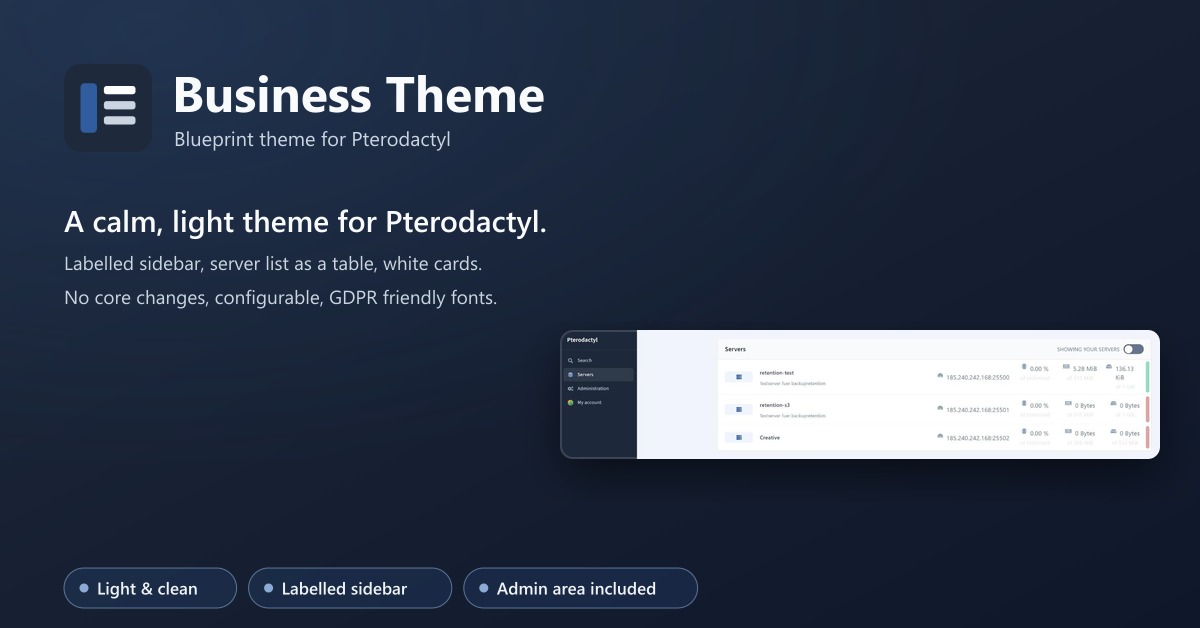
Business Theme
A calm, light theme for Pterodactyl: labelled sidebar, server list as a table, matching admin area. No core changes.
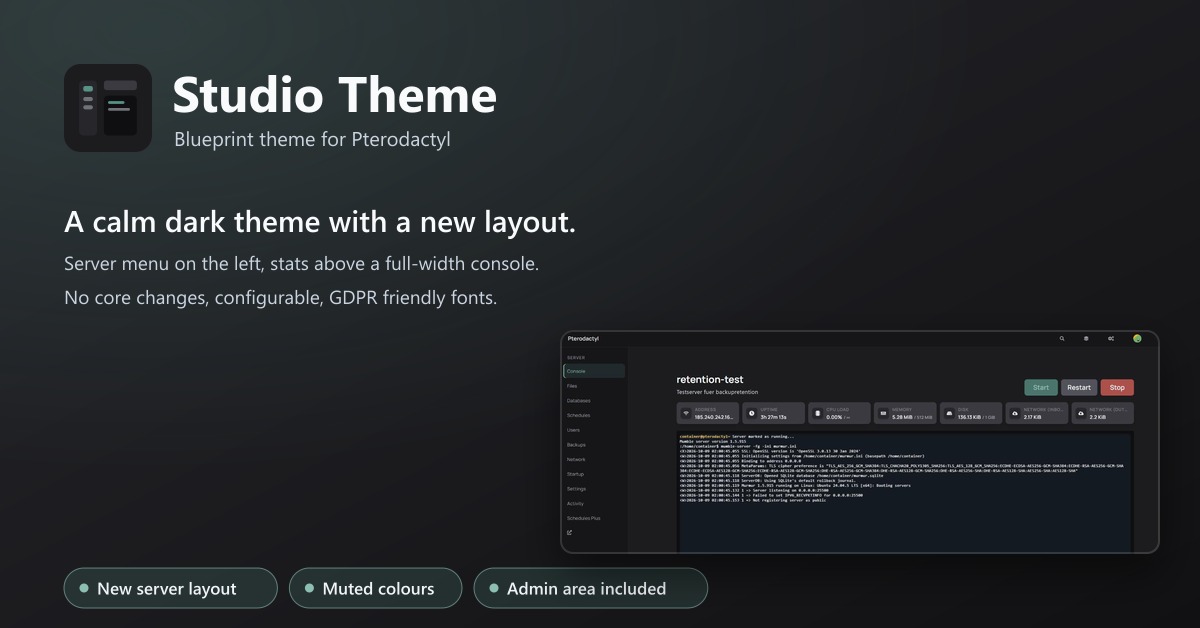
Studio Theme
A calm dark theme with a new layout: server menu on the left, stats above a full-width console. No core changes.